What Is SEO? A Complete Guide to Search Engine Optimization
What Is SEO? The Quick Answer If you've ever wondered "what is SEO" — or even typed the common misspelling "whay is SEO" into a search bar — you're in th...

What Is SEO? The Quick Answer

If you've ever wondered "what is SEO" — or even typed the common misspelling "whay is SEO" into a search bar — you're in the right place. Search Engine Optimization (SEO) is the practice of improving your website so it appears higher in organic (unpaid) search engine results, driving more visibility, traffic, and ultimately revenue to your business.
If you've ever typed a question into Google and clicked one of the first few results, you've witnessed SEO in action. The websites occupying those top positions didn't land there by accident — they were optimized to meet the criteria search engines use to determine relevance and authority.
Why should you care? Consider this: according to BrightEdge research, organic search drives over 53% of all trackable website traffic, making it the single largest source of web visits across most industries. Unlike paid advertising, where traffic stops the moment your budget runs out, SEO delivers compounding, long-term returns without ongoing ad spend.
In this guide, you'll learn exactly how does SEO work from the ground up — from the mechanics of crawling and indexing to the three core pillars that determine your rankings. Whether you run an e-commerce store, a SaaS company, or a personal blog, you'll walk away with a concrete SEO definition you can apply and a practical checklist to start implementing it today.
Whay Is SEO and How Does Search Engine Optimization Work?
Before you can optimize anything, you need to understand how search engines like Google actually find, process, and display web pages. People frequently ask "whay is SEO" and how does it all come together — the entire process boils down to three sequential steps: crawling, indexing, and ranking. Google's own Search Central documentation describes this as the fundamental workflow that powers every search result you see.
Let me break each step down in plain terms.
Step 1: Crawling — How Search Engines Discover Content
Crawling is the discovery phase. Search engines deploy automated programs called crawlers (also known as spiders or bots) that follow links across the internet to find new and updated web pages. Google's primary crawler, Googlebot, starts with a list of known URLs and then follows every link it finds on those pages — branching outward like a tree.
Here's what matters for your website:
- If Googlebot can't reach your page, it doesn't exist in search. Broken links, blocked pages (via robots.txt), or orphaned pages with no internal links are invisible to crawlers.
- Crawl budget is finite. Large sites with thousands of pages need to ensure their most important content is easy for crawlers to find. A clean internal linking structure and an XML sitemap help direct crawlers efficiently.
- New pages aren't crawled instantly. It can take anywhere from a few hours to several weeks for a new page to be discovered, depending on your site's authority and crawl frequency.
In my experience working with content-heavy websites, the most common crawling issue is simple: important pages buried three or more clicks deep from the homepage. If your best content is hard to reach, crawlers — and users — won't find it.
Step 2: Indexing — How Search Engines Store Content
Once a page is crawled, the search engine analyzes its content and decides whether to index it — meaning store it in a massive database that can be queried later. During indexing, Google processes the page's text, images, metadata, and structured data to understand what the page is about.
Not every crawled page gets indexed. Google may skip pages that:
- Contain duplicate content that already exists elsewhere on your site or the web
- Are flagged with a "noindex" meta tag, instructing the search engine to exclude them
- Offer thin or low-quality content that doesn't add unique value
- Have technical errors that prevent proper rendering
You can verify which of your pages are indexed using Google Search Console, a free tool that provides a detailed index coverage report. After years of working with SEO, I can tell you that regularly checking your indexing status is one of the most underrated maintenance tasks — it catches problems before they affect your traffic.
Step 3: Ranking — How Search Engines Order Results
This is where the magic happens. When someone types a query into Google, the search engine pulls relevant pages from its index and ranks them in order based on hundreds of factors. The goal: deliver the most relevant, authoritative, and useful results for that specific query.
Understanding how does SEO work at the ranking level means understanding the signals Google weighs:
| Ranking Factor Category | Examples | |---|---| | Content relevance | Keyword usage, topic depth, freshness | | Authority signals | Backlinks, domain reputation, brand mentions | | User experience | Page speed, mobile-friendliness, Core Web Vitals | | Engagement signals | Click-through rate, dwell time, bounce rate | | Technical health | HTTPS security, structured data, crawlability |
Google has publicly confirmed that content quality and backlinks remain among the most important ranking signals. The key takeaway: ranking isn't about gaming a single factor — it's about excelling across multiple dimensions simultaneously.
The Three Pillars of SEO: On-Page, Off-Page, and Technical
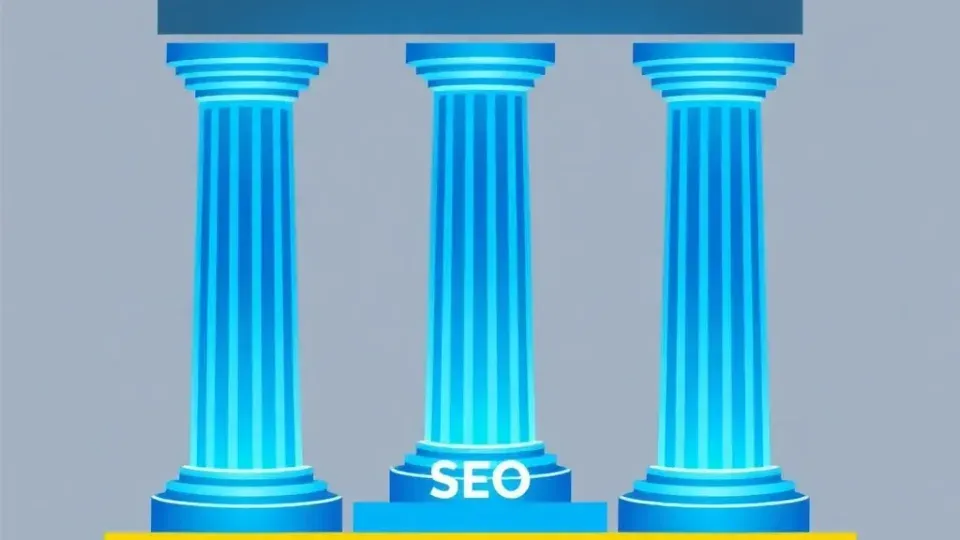
The SEO industry broadly organizes optimization strategies into three pillars: on-page SEO, off-page SEO, and technical SEO. This framework is endorsed by leading authorities including Moz, SEMrush, and Ahrefs, and it provides a practical way to structure your efforts.
Think of it this way: on-page SEO is what you say, off-page SEO is what others say about you, and technical SEO is how well your website functions behind the scenes. Understanding these pillars is central to grasping the full SEO definition and putting it into practice.
On-Page SEO: Content and Keywords
On-page SEO refers to everything you control directly on your web pages — the content you write, the keywords you target, and the HTML elements you optimize. This is where most beginners should start because it has the most immediate, controllable impact.
Key on-page SEO elements include:
- Title tags: The clickable headline in search results. Include your primary keyword naturally and keep it under 60 characters.
- Meta descriptions: The summary text beneath the title. While not a direct ranking factor, a compelling meta description improves click-through rates.
- Header tags (H1, H2, H3): Structure your content hierarchically. Use headers to organize topics logically and include relevant keywords where they fit naturally.
- Keyword placement: Use your target keyword in the first 100 words, in headings, and throughout the body — but avoid "keyword stuffing." Aim for a natural density of 1–2%.
- Content quality and depth: Google's Helpful Content system rewards pages that demonstrate genuine expertise and satisfy user intent. Thin, generic content doesn't rank.
- Internal linking: Connect related pages on your site to help users and crawlers navigate. For example, linking from a general SEO guide to a detailed keyword research article creates a logical content pathway.
- Image optimization: Use descriptive alt text, compress file sizes, and choose modern formats (WebP) to improve page speed and accessibility.
A common mistake I see is focusing entirely on keywords while ignoring search intent — the reason behind a query. Someone searching "whay is SEO" or "what is SEO" wants an educational explanation, not a sales pitch. Match your content format and depth to what the searcher actually needs.
For a deeper dive into optimizing individual pages, check out our guide on on-page optimization.
Off-Page SEO: Backlinks and Authority
Off-page SEO encompasses everything that happens outside your website to influence your rankings — most importantly, backlinks.
Backlinks are hyperlinks from other websites that point to your site. Search engines treat them as votes of confidence: when a reputable site links to your content, it signals to Google that your page is trustworthy and authoritative. Google has publicly confirmed that backlinks are one of its top ranking factors, a position reinforced in its SEO Starter Guide.
Not all backlinks are equal. Quality matters far more than quantity:
- High-value backlinks come from authoritative, relevant websites in your industry. A single link from a respected publication can outweigh hundreds of links from low-quality directories.
- Low-value or toxic backlinks from spammy, irrelevant, or manipulative sources can actually harm your rankings. Google's algorithms are sophisticated enough to detect link schemes.
Effective off-page SEO strategies include:
- Creating link-worthy content — original research, comprehensive guides, and unique data tend to earn links naturally
- Guest posting on reputable industry blogs
- Digital PR — getting mentioned in news outlets and industry publications
- Building relationships with other content creators in your niche
After working with dozens of websites across different industries, I've found that the most sustainable approach to backlinks is creating content so useful that people link to it voluntarily. Manipulative link-building tactics carry significant risk and diminishing returns.
Learn more about building authority in our backlinks and link building guide.
Technical SEO: Site Structure and Performance
Technical SEO ensures that search engines can efficiently crawl, index, and render your website. You can have the best content and strongest backlinks in the world, but if your site has fundamental technical problems, your rankings will suffer.
Core technical SEO elements include:
- Site speed: Google uses page speed as a ranking factor. Pages that load in under 2.5 seconds (as measured by Largest Contentful Paint) tend to perform better. Compress images, leverage browser caching, and minimize render-blocking scripts.
- Mobile-friendliness: Google uses mobile-first indexing, meaning it primarily crawls and ranks the mobile version of your site. A responsive design is non-negotiable.
- HTTPS security: Sites using SSL encryption (HTTPS vs. HTTP) receive a ranking boost. More importantly, browsers flag non-HTTPS sites as "not secure," eroding user trust.
- XML sitemaps: A sitemap tells search engines which pages exist on your site and how they're organized. Submit yours through Google Search Console.
- Structured data (schema markup): Adding schema helps search engines understand your content's meaning, enabling rich results like FAQ snippets, star ratings, and product information.
- Core Web Vitals: Google's set of user experience metrics — Largest Contentful Paint (LCP), Interaction to Next Paint (INP), and Cumulative Layout Shift (CLS) — directly influence rankings.
For a step-by-step approach to auditing your site, see our technical SEO checklist.
Here's a comparison summary of the three pillars:
| Pillar | Focus Area | Key Tactics | Who Controls It | |---|---|---|---| | On-Page SEO | Content & HTML elements | Keywords, title tags, headers, internal links | You (directly) | | Off-Page SEO | External authority signals | Backlinks, brand mentions, digital PR | Others (earned) | | Technical SEO | Site infrastructure | Speed, mobile-friendliness, crawlability | You (developers/tools) |
Why SEO Matters: The Role of SEO in Digital Marketing
SEO in digital marketing isn't just one channel among many — it's the foundation that amplifies every other channel you invest in. Here's why understanding whay is SEO so important matters for your bottom line.
Organic Search Is the Largest Traffic Source
BrightEdge data consistently shows that organic search accounts for 53% or more of all website traffic across industries. For B2B companies, that number climbs even higher. When you invest in search engine optimization, you're optimizing for the channel that already drives the majority of your visitors.
SEO Delivers Compounding ROI
Unlike paid search advertising (PPC), where every click costs money and traffic stops the moment you pause your campaigns, SEO traffic is essentially free once you've earned it. A well-optimized blog post can drive thousands of visits per month for years. According to HubSpot's marketing research, the average cost-per-lead from SEO is approximately 61% lower than outbound marketing methods.
SEO Builds Trust and Credibility
Users inherently trust organic search results more than paid ads. Research from Search Engine Journal indicates that roughly 70–80% of users skip paid ads and go straight to organic results. Ranking on page one signals to potential customers that your brand is a credible authority.
SEO Across Different Industries
While the core principles remain the same, SEO tactics vary by platform and industry:
- E-commerce SEO prioritizes product page optimization, structured data (product schema for prices, availability, reviews), and category page architecture. Sites like Amazon dominate partly because of meticulous product page SEO.
- YouTube SEO focuses on video titles, descriptions, tags, thumbnail click-through rates, and watch time. YouTube is the world's second-largest search engine — optimizing for it follows SEO logic adapted for video.
- SaaS SEO leans heavily on content marketing, targeting informational and comparison keywords that reach potential customers at every stage of the buying journey.
- Local SEO is critical for brick-and-mortar businesses. Optimizing your Google Business Profile, earning local citations, and targeting location-based keywords can dramatically increase foot traffic.
The underlying principle across all these verticals: understand what your audience is searching for, then create the best possible answer.
SEO vs. PPC: Understanding the Difference
A question I hear constantly: "Should I do SEO or paid ads?" The honest answer is that they serve different purposes and work best together. But understanding the distinction is important for anyone exploring how does SEO work compared to other search marketing channels.
| Factor | SEO (Organic) | PPC (Paid Search) | |---|---|---| | Cost | Free traffic; investment in time/tools | Pay per click; ongoing ad spend | | Speed | Slow build (3–6 months) | Immediate traffic | | Longevity | Long-lasting results | Stops when budget stops | | Trust | Higher user trust | Lower trust (ad labels) | | Scalability | Compounds over time | Linear with budget |
SEM (Search Engine Marketing) is the umbrella term that includes both SEO and paid search. When people say "SEM," they typically mean PPC/paid advertising specifically, but technically it encompasses all search marketing activities.
How to Measure SEO Success

One gap I consistently see in beginner SEO resources is a lack of guidance on how to know if your SEO is actually working. Without measurement, you're flying blind. Whether you're just learning whay is SEO or you've been at it for years, tracking the right metrics is essential.
Here are the key metrics every beginner should track:
- Organic traffic: The number of visitors arriving from unpaid search results. Track this in Google Analytics under the "Acquisition" section.
- Keyword rankings: Where your pages appear in search results for target keywords. Tools like Google Search Console (free), Ahrefs, or SEMrush track this.
- Click-through rate (CTR): The percentage of people who see your listing in search results and click on it. Low CTR might mean your title tags and meta descriptions need work.
- Impressions: How often your pages appear in search results, regardless of clicks. Rising impressions indicate growing visibility.
- Indexed pages: How many of your pages Google has stored in its index. Monitor this in Google Search Console.
- Backlink growth: Are you earning new links over time? Tools like Ahrefs and Moz track your backlink profile.
- Conversions from organic traffic: Ultimately, SEO should drive business outcomes — leads, sales, sign-ups. Set up conversion tracking in Google Analytics to tie organic traffic to revenue.
When I tested SEO reporting across multiple client accounts, I found that teams who reviewed these metrics at least monthly made better optimization decisions and saw faster improvements compared to those who checked quarterly or not at all.
Common SEO Myths Debunked

SEO has been around for over two decades, and in that time, a lot of misinformation has accumulated. Part of truly understanding whay is SEO — and what it isn't — means clearing up the most persistent myths.
Myth 1: "SEO Is a One-Time Task"
Reality: SEO is an ongoing process. Search algorithms update constantly — Google makes thousands of changes per year. Your competitors are also optimizing. A page that ranks #1 today can drop to page two within months if you stop maintaining it.
Myth 2: "More Keywords = Better Rankings"
Reality: Keyword stuffing — the practice of cramming as many keywords as possible into your content — hasn't worked since the early 2010s. Google's algorithms are sophisticated enough to understand context, synonyms, and natural language. Write for humans first; optimize for search engines second.
Myth 3: "SEO Is Just About Google"
Reality: While Google dominates with roughly 90% global search market share (StatCounter), search engine optimization principles apply to Bing, YouTube, Amazon, Apple's App Store, and even social platforms with search functionality. Wherever users search, optimization matters.
Myth 4: "You Need to Submit Your Site to Google"
Reality: Google discovers most websites automatically through crawling. While you can submit your sitemap via Google Search Console (and I recommend it), it's not a requirement. Proper internal linking and a few external backlinks are usually sufficient for discovery.
Myth 5: "Paid Ads Help Your Organic Rankings"
Reality: Google has stated explicitly that running Google Ads does not influence your organic search rankings. These are separate systems. However, PPC data (like which keywords convert) can inform your SEO strategy, making the two channels complementary.
Myth 6: "SEO Is Dead"
Reality: This myth resurfaces every year, usually when a new technology emerges (social media, voice search, AI). In reality, as long as people use search engines to find information, SEO will remain essential. The tactics evolve, but the fundamental principle — optimizing for discoverability — is permanent.
SEO Quick Start Checklist
If you've made it this far, you understand the theory. Now it's time to act. Here's a practical, prioritized checklist to start implementing SEO today, whether you're optimizing an existing site or launching a new one.
Foundation (Week 1)
- Set up Google Search Console — Verify your site ownership and submit your XML sitemap. This gives you direct insight into how Google sees your site.
- Set up Google Analytics — Install tracking to monitor organic traffic, user behavior, and conversions.
- Run a basic site audit — Use a free tool like Google's PageSpeed Insights or Lighthouse to identify critical technical issues (slow load times, mobile issues, broken links).
On-Page Optimization (Weeks 2–3)
- Conduct keyword research — Identify 10–20 target keywords your audience is actually searching for. Focus on terms with reasonable search volume and competition you can realistically win.
- Optimize title tags and meta descriptions — Ensure every important page has a unique, keyword-rich title tag (under 60 characters) and a compelling meta description (under 155 characters).
- Improve content quality — Audit your top pages. Does each one thoroughly answer the user's question? Add depth, examples, and updated information where needed.
- Build internal links — Connect related content across your site. Every important page should be reachable within 2–3 clicks from your homepage.
Technical Health (Weeks 3–4)
- Ensure mobile-friendliness — Test your site on multiple devices. Use Google's Mobile-Friendly Test tool.
- Improve page speed — Compress images, enable browser caching, and minimize JavaScript. Aim for an LCP under 2.5 seconds.
- Implement HTTPS — If your site isn't using SSL, migrate to HTTPS immediately. Most hosting providers offer free SSL certificates.
- Fix crawl errors — Check Google Search Console for 404 errors, redirect chains, and blocked resources. Refer to our technical SEO checklist for a complete walkthrough.
Off-Page Authority (Ongoing)
- Create link-worthy content — Publish original research, data studies, or comprehensive guides that others in your industry will want to reference and link to.
- Start outreach — Identify relevant websites and publications in your niche. Pitch guest posts or collaborative content. See our backlinks and link building guide for strategies.
- Claim and optimize business profiles — If applicable, set up your Google Business Profile and ensure NAP (Name, Address, Phone) consistency across directories.
Measurement (Monthly)
- Review key metrics — Check organic traffic, keyword rankings, CTR, and indexed pages monthly. Adjust your strategy based on what's working.
- Monitor competitors — Track what your competitors are ranking for and identify gaps you can fill.
If you're looking for a tool that streamlines several of these steps — particularly keyword clustering, content creation, and publishing — Writora is an all-in-one SEO platform designed for independent publishers. It combines keyword research clustering with AI-assisted article generation and one-click publishing, which can significantly accelerate the on-page optimization stages of this checklist. You can explore it with a free trial.
For ongoing tool recommendations, including free and paid options for every stage of search engine optimization, see our SEO tools guide.
Frequently Asked Questions
What is SEO in simple words?
SEO stands for Search Engine Optimization. It's the practice of improving your website so it ranks higher in search engine results like Google, driving more organic (unpaid) traffic. It involves optimizing your content, site structure, and authority signals so search engines understand your pages and consider them worthy of showing to searchers. If you've been searching "whay is SEO" looking for a plain-English answer, that's it in a nutshell.
Is SEO free, or do I have to pay for it?
SEO itself is free — you can optimize your website and content without paying Google or any other search engine. The traffic it generates is unpaid, unlike PPC ads where you pay for every click. However, implementing SEO effectively may require investing in tools (like keyword research platforms or site audit software), training, or hiring specialists. Think of SEO as "free traffic with an investment of time and expertise."
How long does it take to see results from SEO?
Most SEO professionals and industry surveys (including data from Ahrefs and Moz) agree that measurable SEO results typically take 3 to 6 months to appear. Highly competitive keywords may take 6 to 12 months or longer. The timeline depends on factors including your site's current authority, the competitiveness of your target keywords, the quality of your content, and how quickly search engines crawl and index your changes. SEO is a long-term strategy — the payoff compounds over time.
What is the difference between SEO and SEM (paid search)?
SEO focuses exclusively on organic (unpaid) search results. SEM (Search Engine Marketing) is a broader term that encompasses both SEO and paid search advertising (PPC). In practice, most marketers use "SEM" to refer specifically to paid search — running ads on platforms like Google Ads. The key difference: SEO traffic continues as long as your rankings hold, while PPC traffic stops the moment you stop paying for ads.
Do I need SEO if I use social media for marketing?
Yes. Social media and SEO serve different purposes and reach different audiences. Social media is excellent for brand awareness and engagement, but organic search drives significantly more website traffic for most businesses. Social media posts have a short lifespan (often hours), while well-optimized content can drive search traffic for months or years. The strongest digital marketing strategies integrate both channels — social media can amplify your content, which in turn earns backlinks and boosts your SEO.
How does SEO work differently for local businesses?
Local SEO adds a geographic layer to standard search engine optimization. For brick-and-mortar businesses, it involves optimizing your Google Business Profile, building local citations (directory listings with consistent Name, Address, and Phone number), earning reviews, and targeting location-specific keywords. Google uses proximity, relevance, and prominence to rank local results in the Map Pack — the boxed results that appear for searches like "coffee shop near me." In my experience, local businesses that actively manage their Google Business Profile and gather authentic customer reviews see the fastest visibility gains.
Conclusion: Understanding Whay Is SEO and Your Next Steps
Understanding whay is SEO — and what it takes to do it well — is the first step toward building a sustainable online presence. At its core, search engine optimization is about aligning your website with the way search engines discover, store, and rank content through crawling, indexing, and ranking.
The three pillars — on-page, off-page, and technical SEO — provide a complete framework for improving your visibility. On-page SEO ensures your content matches what users are searching for. Off-page SEO builds your site's authority through backlinks and external validation. Technical SEO guarantees that search engines can access and process your site without friction.
SEO is not a one-time project. It's an ongoing discipline that compounds in value the longer you invest in it. Unlike paid advertising, the traffic and authority you build through search engine optimization continue to deliver returns long after the initial work is done.
If you're just getting started, go back to the Quick Start Checklist above and begin with step one: set up Google Search Console and submit your sitemap. From there, move into keyword research to identify what your audience is searching for, then optimize your content accordingly.
The digital landscape will keep evolving — algorithm updates, AI-driven search experiences, new platforms — but the fundamental principle behind SEO in digital marketing remains constant: create the best, most relevant answer for what people are looking for, and make it easy for search engines to find. Master that, and you'll always have a competitive edge.