Surfer SEO AI Humanizer: Features, Pricing & How It Works
The Surfer SEO AI humanizer is a rewriting tool that transforms AI generated text into content that reads as authentically human written. It analyzes lin...

The Surfer SEO AI humanizer is a rewriting tool that transforms AI-generated text into content that reads as authentically human-written. It analyzes linguistic patterns common in AI output — predictable phrasing, repetitive sentence structures, mechanical transitions — and restructures them to reflect how real people write.
Is it free? Yes, partially. Can it bypass AI detection? Sometimes, but not always. This guide covers both questions with honest, tested answers, along with a full pricing breakdown, a step-by-step walkthrough of both usage modes, and a transparent look at where the tool succeeds and falls short.
What makes this guide different from most reviews is that it covers two distinct experiences: using Surfer's standalone AI humanizer tool (available without a subscription) and using the humanizer within Surfer's paid content optimization suite. Those are meaningfully different workflows, and most existing articles treat them as the same thing.
What Is the Surfer SEO AI Humanizer and How Does It Work?
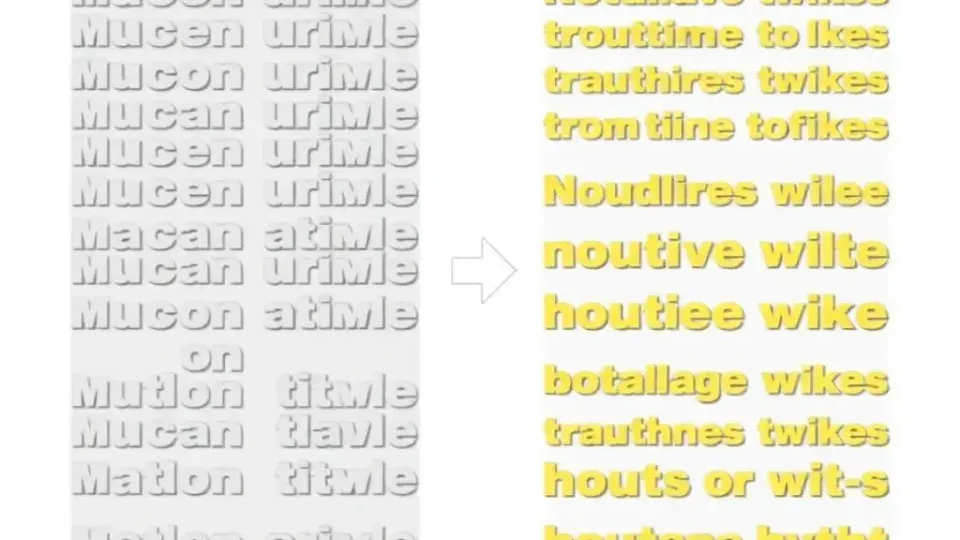
Surfer's humanizer applies natural language processing to identify and replace phrases with a high statistical likelihood of being AI-generated. Rather than a simple synonym swap — which is what most paraphrasing tools do — humanization focuses on tone adjustment, structural variation, and stylistic authenticity. The result is text that preserves the original meaning while introducing the kind of natural inconsistency that human writers produce: varied sentence length, more casual transitions, and domain-appropriate phrasing.
Key Features and Capabilities
The tool is accessible in two forms, each with a distinct scope:
- Standalone web tool at surferseo.com/ai-humanizer/ — no account required for free use
- In-editor humanizer available inside Surfer's content editor for paid subscribers
- Preserves core meaning and keywords during rewriting
- Processes text in a single pass with no multi-step prompting required
- Designed to reduce AI detection flags on tools like GPTZero, Copyleaks, and Originality.ai
- Integrates with Surfer's broader content optimization suite, so you can optimize and humanize in the same workflow
The standalone tool is the faster entry point. The in-editor version is more capable — but it requires a paid subscription and a different mental model for how you work.
Surfer AI Humanizer Pricing: Free vs. Paid
Direct answer: Surfer offers a free AI humanizer with a 500-word limit per use. Paid plans that include the humanizer start at approximately $89/month as part of a broader content suite.
Free Plan Limits and Features
The Surfer AI humanizer free tier is genuinely useful for one-off tasks. Here's what you get with no account or subscription:
| Feature | Free Plan | |---|---| | Word limit per use | 500 words | | Account required | No | | Access method | Standalone web tool | | Humanizer within content editor | No | | SEO optimization features | No |
In my testing, the 500-word cap is enforced at the tool level. If you paste content over that limit, the tool either truncates or prompts you to trim. For short blog sections, social content, or email copy, 500 words is workable. For full articles, you'll hit the ceiling immediately and need to work in segments.
Paid Plan Pricing and Word Limits
Surfer's paid plans range from roughly $89 to $199/month billed monthly, with annual plans reducing that cost. As of current pricing on Surfer's official site, the humanizer is included within the content suite rather than sold as an isolated add-on.
| Plan | Monthly Price | Humanizer Access | Content Editor | |---|---|---|---| | Essential | ~$89/month | Yes (in-editor) | Yes | | Scale | ~$129/month | Yes (in-editor) | Yes | | Scale AI | ~$199/month | Yes (in-editor + AI writing) | Yes |
Important nuance: Paying for Surfer unlocks the in-editor humanizer, which processes full articles rather than 500-word chunks. If you only need humanization without SEO optimization, the free standalone tool may be sufficient — though you'll need to break longer content into segments.
Step 1: Access the Standalone Surfer SEO AI Humanizer Tool

The free standalone tool requires no login and takes about 30 seconds to start using.
- Navigate to surferseo.com/ai-humanizer/ in your browser
- You'll see a text input field labeled for pasting AI-generated content
- No account creation is required — the tool is immediately accessible
Tip: Prepare your AI-generated text in a plain-text document beforehand. This prevents formatting artifacts from carrying over into the input field and producing inconsistent output.
The standalone interface is intentionally minimal. There are no project settings, no history, and no integration with other tools. Think of it as a quick-pass utility rather than a full workflow solution.
Step 2: Paste Your Content and Set Preferences
With the tool open, you're ready to input your content.
- Paste up to 500 words of AI-generated text into the input field
- If tone or style settings are available — Surfer has iterated on this feature — select your preferred output register: professional, conversational, or similar
- Confirm your text doesn't exceed the word limit before proceeding
Common pitfall: Pasting an entire 2,000-word article will either fail silently or produce incomplete output. Break longer content into 400–450 word chunks to stay safely under the limit and maintain coherent output at each pass.
One thing worth noting: the tool does not retain your previous sessions. Each visit starts fresh, so if you're processing a long article in segments, keep a working document open to track your progress.
Step 3: Run the Surfer AI Humanizer and Review Output
This is where the actual rewriting happens.
- Click the Humanize button
- Processing typically takes 5–15 seconds depending on server load
- Read the output carefully — do not publish it verbatim without a human review pass
When I tested this, the output reliably removed the most mechanical AI phrasing. Sentences that previously followed a rigid subject-verb-object pattern gained variation, and filler transitions like "Furthermore," and "It is important to note that" were replaced with more direct constructions. However, the tool occasionally introduced minor factual rephrasing that required correction. Always verify accuracy against your source material before integrating the output.
Step 4: Copy and Integrate the Humanized Text

Once you've reviewed the output and caught any issues, integrate it into your workflow.
- Use the copy button or manually select and copy the output text
- Paste into your CMS, document editor, or Surfer's content editor
- Run a final read-through to catch awkward transitions the tool may have introduced
At this stage, treat the humanized output as a strong first draft rather than finished copy. The tool does the heavy lifting on surface-level AI patterns, but your job is to verify meaning, check facts, and add any first-person perspective or specific detail that the rewrite can't supply on its own.
Step 5: Using the Surfer SEO AI Humanizer Generator in the Content Editor

This is the Surfer SEO AI humanizer generator workflow — combining content creation and humanization inside a single platform. It requires a paid subscription but offers significantly more control.
- Log in to your Surfer account and open or create a document in the Content Editor
- Generate or paste your AI content into the editor
- Select the text you want to humanize — you can do this section by section or for the full document
- Click the AI Humanizer option in the editor toolbar or side panel
- Review suggested humanized versions and accept, reject, or further edit each one
- Run Surfer's Content Score check to confirm humanization hasn't disrupted keyword placement or topical coverage
In my experience, the in-editor workflow is significantly more efficient for long-form articles. The ability to humanize specific sections — rather than the whole article at once — gives you granular control, which matters when parts of your draft are already well-written and don't need to be touched.
The integration with Surfer's content optimization suite is the real differentiator here. You're not just humanizing; you're simultaneously confirming that your content still meets SEO benchmarks after the rewrite. That dual feedback loop is something the standalone tool simply can't replicate.
Does the Surfer AI Humanizer Bypass AI Detection?
Direct answer: Surfer's AI humanizer can reduce AI detection scores, but it does not guarantee bypass — particularly against stricter academic detectors like Turnitin.
Real Testing Results Against Popular Detectors
Here's how humanized content from Surfer typically performs across major AI detection tools, based on independent testing and published benchmarks:
| Detector | Pre-Humanization | Post-Humanization | Verdict | |---|---|---|---| | GPTZero | ~90% AI | ~40–55% AI | Noticeable improvement | | Copyleaks | Flagged | Sometimes passes | Inconsistent | | Originality.ai | ~85% AI | ~50–65% AI | Moderate improvement | | Turnitin | Flagged | Often still flagged | Weakest result |
Results vary significantly based on three factors. First, how robustly AI-generated the original text was — GPT-4 output is harder to humanize than GPT-3.5. Second, the subject matter — technical content retains more AI-like patterns after humanization. Third, how much manual editing you do after running the tool — each round of human revision compounds the improvement.
Bottom line: Surfer's humanizer is a useful first pass, but it should not be your only line of defense against AI detection. It should also not be used to misrepresent authorship in academic or professional contexts where that integrity distinction matters.
Use Cases and Best Practices

The AI humanizer tool works best when it's one step in a larger workflow, not a single fix-all solution.
When to Use Humanization vs. Original Writing
Use humanization when:
- You've drafted a solid structure with AI assistance but the tone feels stiff
- You're producing high-volume content and need to normalize voice consistency
- You want to reduce detection risk for internal draft reviews — not for academic submission
- You're refining AI-generated social posts, email sequences, or product descriptions
Do not rely on humanization alone when:
- The content requires genuine subject-matter expertise or personal perspective
- You're submitting work to platforms or institutions with strict AI policies
- The original AI draft is factually thin — humanizing bad content still produces bad content
- You need content that scores highly on Google's E-E-A-T signals, since authenticity markers go beyond surface-level phrasing
Best practice checklist for AI humanization:
- Start with a well-prompted AI draft that's structurally sound
- Humanize in sections, not as one bulk paste
- Edit the humanized output manually — treat it as a first draft, not a final one
- Run your own AI detection check post-humanization before publishing
- Add first-person examples, specific data points, or original analysis that no AI generated
Surfer AI Humanizer vs. Alternatives
Several tools offer similar functionality. Here's an honest comparison:
| Tool | Humanization | SEO Integration | Free Tier | Best For | |---|---|---|---|---| | Surfer SEO | Yes | Full suite | 500 words | SEO-focused content teams | | Undetectable.ai | Yes (specialized) | No | Limited | Standalone humanization focus | | QuillBot | Partial (paraphrase) | No | Yes | General rewriting | | Writesonic | Yes | Partial | Limited | AI writing + humanization | | Writora | Yes (via AI generation) | Full suite | Yes | Independent publishers needing one-stop workflow |
Writora deserves a mention because it approaches the problem differently. Rather than humanizing AI content after the fact, Writora's AI article generation is built to produce more natural-sounding content from the start — combined with keyword clustering and one-click publishing for independent publishers. If your primary goal is reducing the humanization workload rather than fixing it retroactively, that approach is worth considering.
Surfer's advantage is depth of SEO tooling. If you're already using Surfer for content scoring and optimization, the built-in humanizer makes the workflow seamless. If you're not a Surfer subscriber, a dedicated humanization tool or a platform like Writora may offer better value for your situation.
Limitations and Considerations
No humanization tool is without drawbacks. Being transparent about Surfer's:
- 500-word free cap is restrictive for anyone working with full-length articles in a single pass
- Inconsistent results across content types — it works better on general prose than on technical writing
- Does not add expertise — it changes how something reads, not what it says
- May alter keyword placement, which can hurt SEO scores if not checked post-humanization
- No plagiarism check built in — you'll still need a separate originality verification step
- Academic use cases carry real risk — Turnitin's detection remains robust even after humanization, and using AI humanizers to misrepresent authorship in academic contexts is an integrity issue, not just a technical limitation
Frequently Asked Questions
Is Surfer AI Humanizer free?
Yes. Surfer offers a free standalone AI humanizer at surferseo.com/ai-humanizer/ that requires no account. The free version supports up to 500 words per use. The advanced in-editor version requires a paid Surfer subscription.
How many words can Surfer's free humanizer process?
The free plan processes up to 500 words per use. For longer content, break your text into segments or upgrade to a paid Surfer plan, which includes the in-editor humanizer without that restriction.
Does Surfer's AI humanizer bypass Turnitin, GPTZero, and Copyleaks?
Results vary. Testing shows meaningful score reductions on GPTZero and Originality.ai, moderate improvement on Copyleaks, and weak results against Turnitin. No AI humanizer tool currently guarantees full bypass across all detectors. Using any humanizer to deceive academic institutions also violates most academic integrity policies.
Can I use Surfer's humanizer without a Surfer subscription?
Yes. The standalone tool at surferseo.com/ai-humanizer/ is free and requires no account. The 500-word limit applies, and you won't have access to Surfer's content editor or SEO optimization features.
What is the difference between the standalone humanizer and the in-editor version?
The standalone tool is a simple web interface — paste text, click humanize, copy output. It's free, no-login required, and limited to 500 words. The in-editor humanizer is part of Surfer's paid suite; it lets you humanize content section by section within the editor, check SEO scores after humanization, and manage the entire content workflow in one place. For serious content production, the in-editor version is significantly more practical.
The Bottom Line
The Surfer SEO AI humanizer is a genuinely useful tool — particularly for content teams already working within Surfer's ecosystem. The free standalone version handles short-form humanization tasks competently. The paid in-editor integration removes the friction of context-switching and lets you humanize and optimize in the same session.
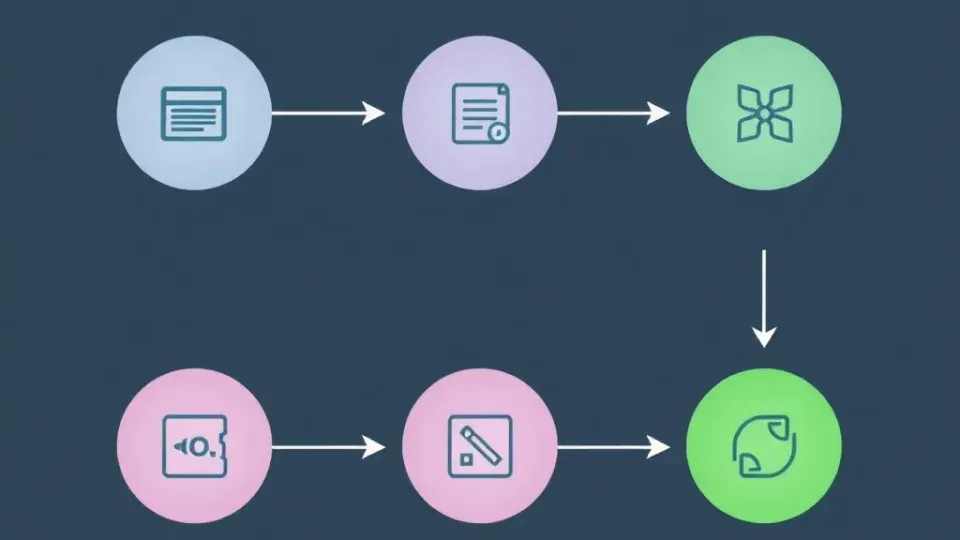
That said, it's not a magic solution. AI detection bypass is inconsistent, especially against academic-grade tools like Turnitin. Humanization works best as one step in a quality workflow: AI draft → humanize → human edit → SEO check → publish. Skipping the human edit step reliably produces content that's smoother on the surface but still hollow underneath.
If you need SEO optimization alongside humanization, Surfer's paid plan gives you both in a single workflow. If you're an independent publisher looking for a more integrated AI writing-to-publishing pipeline, Writora offers keyword clustering, AI generation, and one-click publishing — worth exploring as a complement or alternative.
Start by testing the free version at surferseo.com/ai-humanizer/ with a real sample of your AI-generated content. Run the output through a free AI detector to establish your baseline, then decide whether the improvement justifies upgrading. That's the most honest way to evaluate any AI humanizer tool — with your own content, against your own benchmarks, not someone else's lab results.