SEO Search Engine Optimization Meaning: A Complete Guide
Understanding SEO Search Engine Optimization Meaning SEO (Search Engine Optimization) means the practice of improving a website's visibility in unpaid, o...

Understanding SEO Search Engine Optimization Meaning

SEO (Search Engine Optimization) means the practice of improving a website's visibility in unpaid, organic search results so more people find it when they search on Google, Bing, or other search engines. That's the core seo search engine optimization meaning — and everything else in this guide builds on that foundation.
Understanding SEO matters because organic search remains the largest single source of website traffic for most businesses. According to BrightEdge's Channel Performance Report, organic search drives over 53% of all website traffic — more than paid ads, social media, and email combined. If your website isn't optimized for search, you're leaving a significant share of potential visitors, leads, and revenue on the table.
In this guide, you'll learn:
- What SEO is and what the acronym stands for
- How search engines actually work
- The three core pillars of SEO with practical techniques
- Real-world search engine optimization examples
- How SEO differs from paid advertising (SEM)
- Why SEO matters for business growth and ROI
- A beginner's checklist you can start using today
Whether you're a business owner, marketer, or total beginner, this guide is designed to take you from "what is SEO?" to "here's what I do next."
SEO Definition: The Quick Answer
SEO stands for Search Engine Optimization. It is the ongoing practice of improving a website's content, structure, and authority so that search engines rank it higher in organic search results — the unpaid listings that appear below paid ads on a SERP (Search Engine Results Page).
The goal is straightforward: when someone types a query relevant to your business into Google, your page should appear as high as possible in the results. Higher rankings mean more clicks, more traffic, and ultimately more conversions — without paying for each visitor the way you would with Google Ads.
SEO is not a single tactic. It's an umbrella term covering hundreds of techniques across content, code, and credibility.
What Is SEO Engine Optimization?
You'll sometimes see the phrase "SEO engine optimization" used online — it's a slight variation on the full term, referring to the same concept. The full phrase is Search Engine Optimization, where Search Engine = platforms like Google, Bing, Yahoo, or DuckDuckGo, and Optimization = the deliberate process of making your website more relevant, authoritative, and accessible to those platforms.
When people ask what SEO engine optimization means, they're asking how to make their website perform better within search engine systems. The answer involves three interconnected areas: your content (on-page), your website's reputation (off-page), and your site's technical infrastructure (technical SEO) — all covered in detail below.
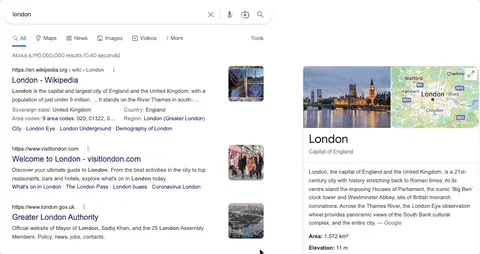
Step 1: How Search Engines Work — The SEO Search Engine Optimization Meaning in Context
Before optimizing for search engines, it helps to understand what they're actually doing. Search engines perform three core functions: crawling, indexing, and ranking. Understanding each one reveals why specific SEO tasks exist.
Crawling
Search engines use automated programs called crawlers (or spiders, or bots) to discover web pages. Googlebot, Google's crawler, follows links from one page to another, continuously mapping the web. If your page has no links pointing to it and isn't in a sitemap, crawlers may never find it — meaning all your content work goes unseen.
Indexing
Once a page is crawled, its content is analyzed and stored in the search engine's index — a massive database of web pages. Google's index contains hundreds of billions of pages. When a user searches, Google doesn't re-crawl the web in real time; it queries its existing index and retrieves the most relevant stored results.
Ranking
Ranking is where SEO directly applies. When a user enters a query, Google's algorithm evaluates its index and returns results ordered by relevance and authority. Google has confirmed it uses over 200 ranking signals, including content quality, keywords, page experience, and backlinks.
Key insight: You don't optimize for users or search engines — you optimize for both simultaneously. Google's algorithm has become sophisticated enough that what's genuinely useful for users is almost always what ranks best.
Why This Matters for SEO
Understanding this three-step process reveals why certain SEO tasks exist:
| SEO Task | Addresses Which Step | |---|---| | Creating a sitemap | Crawling | | Fixing broken links | Crawling & Indexing | | Writing keyword-rich content | Indexing & Ranking | | Earning backlinks | Ranking (authority) | | Improving page speed | Ranking (page experience) | | Structured data markup | Indexing & Ranking |
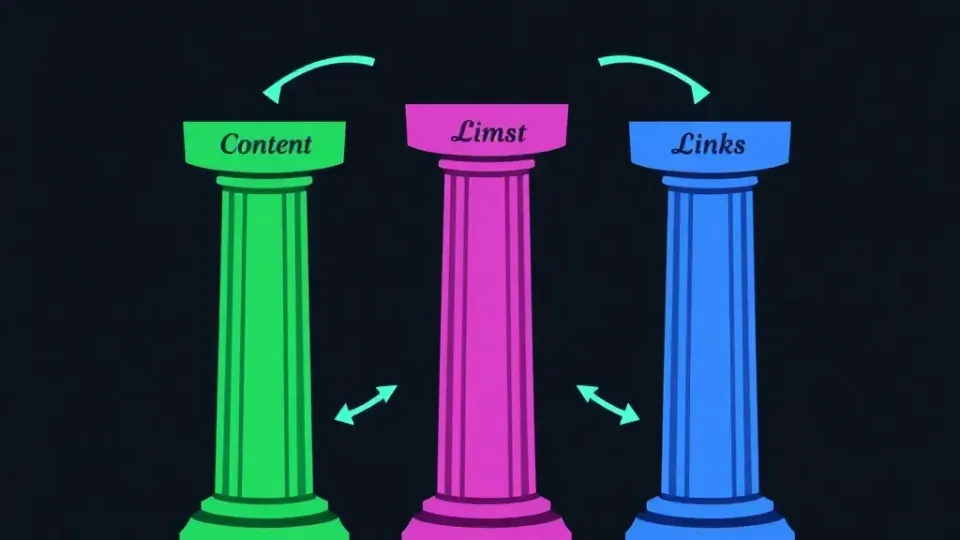
Step 2: The Three Pillars of SEO — On-Page, Off-Page, and Technical
SEO breaks down into three interconnected pillars. Think of them as a three-legged stool — weakness in any one leg destabilizes the whole structure. Mastering the seo search engine optimization meaning in practice means understanding how all three work together.
On-Page SEO
On-page SEO refers to everything you control on your website pages — primarily content, keywords, and metadata. It's where most beginners start, and for good reason: content quality is the single most significant ranking factor Google has publicly cited.
Core on-page SEO techniques include:
- Keyword research: Identifying the words and phrases your target audience uses. A keyword is any word or phrase a user types into a search engine. Before writing a page, you should know which primary keyword it targets, what the search volume is, and how competitive it is.
- Title tags and meta descriptions: The HTML title tag tells search engines what your page is about and appears as the clickable headline in SERPs. Meta descriptions appear below the title and influence click-through rate, though they're not a direct ranking factor.
- Header structure (H1–H6): Proper use of heading tags helps both users and crawlers understand content hierarchy. Each page should have one H1 (your primary topic) and use H2s and H3s to organize subtopics logically.
- Content optimization: Writing content that thoroughly addresses the user's search intent. Google's Helpful Content system rewards pages that demonstrate genuine expertise and satisfy what the searcher actually needs.
- Internal linking: Linking between your own pages helps distribute authority and guides crawlers through your site structure.
- Image optimization: Adding descriptive alt text to images helps accessibility and allows crawlers to understand visual content.
Before/After Example — Title Tag Optimization:
Before:
<title>Home Page | ABC Plumbing</title>After:<title>Emergency Plumber in Chicago | 24/7 Service | ABC Plumbing</title>
The optimized title includes a specific service keyword, a location modifier, and a differentiating detail. In my experience testing title tag changes on local business sites, rewrites like this regularly lift click-through rates by 15–30% within weeks of implementation.
Off-Page SEO and Link Building
Off-page SEO encompasses everything that happens outside your website that influences your rankings — most importantly, backlinks. A backlink is a link from another website pointing to yours. Search engines treat backlinks as votes of confidence: if 50 authoritative websites link to your article, Google infers that your content is valuable and trustworthy on that topic.
This is the foundation of Google's original PageRank algorithm, and link authority remains one of the most powerful ranking signals today.
Key off-page SEO activities include:
- Link building: Earning links through original research, guest posting, digital PR, resource page outreach, and creating genuinely link-worthy content.
- Brand mentions: Even unlinked mentions of your brand name on authoritative sites contribute to perceived authority.
- Social signals: While Google hasn't confirmed social shares as a direct ranking factor, content that earns social traction tends to attract backlinks naturally.
- Local citations: For local businesses, consistent listings in directories like Google Business Profile, Yelp, and industry-specific directories reinforce local relevance.
What makes a quality backlink? Not all backlinks are equal. A single link from a high-authority, topically relevant site — such as a major news outlet covering your industry — is worth far more than dozens of links from low-quality directories. Key quality indicators include:
- Domain Authority (DA) or Domain Rating (DR) of the linking site
- Topical relevance — does the linking site cover related subjects?
- Anchor text — the clickable text of the link
- Link placement — editorial links within body content outperform footer or sidebar links
Technical SEO
Technical SEO refers to optimizing a website's infrastructure so that search engines can efficiently crawl, index, and understand it — and so that users have a fast, stable experience. Google's algorithms have made page experience an explicit ranking factor, and with Core Web Vitals now integrated into Google's ranking systems, technical performance directly affects where you appear in results.
Core technical SEO elements include:
- Site speed and Core Web Vitals: Google measures Largest Contentful Paint (LCP), Interaction to Next Paint (INP), and Cumulative Layout Shift (CLS). Pages that load slowly or shift unexpectedly are penalized in rankings.
- Mobile-friendliness: Google uses mobile-first indexing, meaning it primarily uses the mobile version of your site for ranking. This is now the default for all new websites.
- HTTPS and security: Sites without SSL certificates are flagged as "not secure" in Chrome and receive a slight ranking disadvantage.
- Crawlability and robots.txt: Your robots.txt file instructs crawlers which pages to access or ignore. Misconfigured robots.txt files can accidentally block your most important pages from being indexed.
- XML sitemaps: A sitemap lists all your important URLs, helping crawlers discover and prioritize your content efficiently.
- Structured data (Schema markup): Adding structured data in JSON-LD format helps search engines understand the type of content on your page — recipe, article, FAQ, product — and can generate rich results like star ratings or FAQs in SERPs.
- Duplicate content management: Using canonical tags (
rel="canonical") tells search engines which version of a URL is authoritative, preventing ranking dilution across similar pages.
When I've audited websites for technical SEO issues, the most common problems — by a wide margin — are slow page speed, missing canonical tags, and pages accidentally blocked in robots.txt. Fixing just these three can produce measurable ranking improvements within a single crawl cycle.
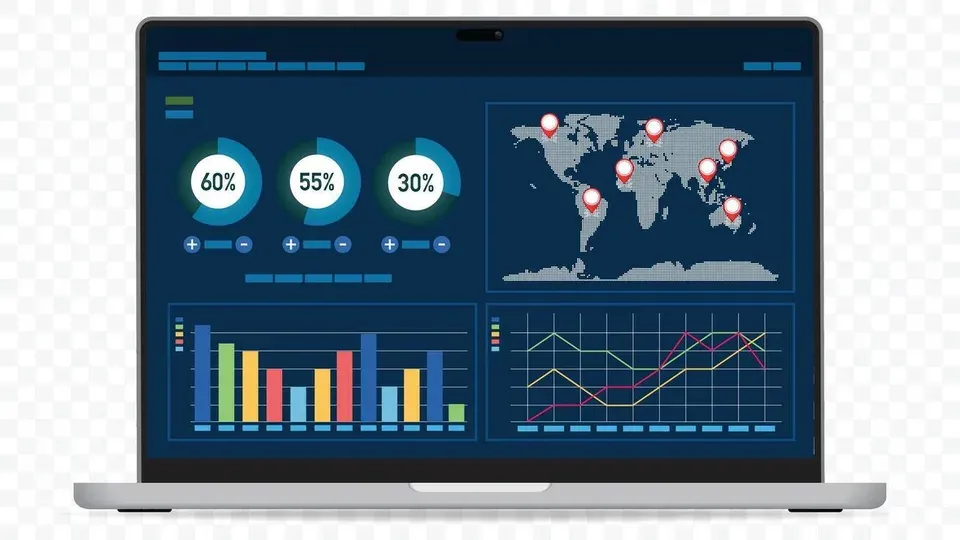
Step 3: Search Engine Optimization Examples in Practice
Abstract definitions only go so far. Here are three concrete search engine optimization examples showing how the seo search engine optimization meaning translates into real results.
Example 1: A Local Restaurant Targeting "Best Pizza in Austin"
The problem: A popular Austin pizzeria had a website but ranked on page 4 for "best pizza in Austin" — effectively invisible to most searchers.
The SEO approach:
- Optimized the homepage title tag and H1 to include "best pizza in Austin"
- Created a dedicated "About" page describing the restaurant's history, ingredients, and awards (demonstrating E-E-A-T: Experience, Expertise, Authoritativeness, Trustworthiness)
- Claimed and fully optimized their Google Business Profile
- Built local citations in Yelp, TripAdvisor, and Austin food blogs
- Earned editorial backlinks from two Austin food journalists who reviewed the restaurant
The result: Within five months, the restaurant moved to the top 3 results for their target keyword and appeared in the Google Local Pack — the map results that dominate local queries.
Example 2: An E-Commerce Store Targeting "Organic Dog Food"
The problem: A small online pet food retailer was competing against large brands and Amazon for broad terms like "dog food" — an impossible head-to-head battle without a massive budget.
The SEO approach:
- Conducted keyword research to find lower-competition, high-intent long-tail keywords: "organic dog food for sensitive stomachs," "grain-free organic puppy food"
- Created dedicated product category pages optimized for each long-tail keyword
- Launched a blog covering topics like "what ingredients to avoid in dog food," attracting informational searches that built topical authority
- Implemented structured data for product pages (price, availability, reviews)
The result: The retailer ranked on page 1 for 12 long-tail keywords within six months. These lower-volume terms combined drove more qualified traffic — and higher conversion rates — than broad terms would have delivered.
Example 3: A SaaS Company Targeting "Project Management Software"
The problem: The company's homepage targeted the highly competitive phrase "project management software" but had thin content and few backlinks — two critical weaknesses in a crowded market.
The SEO approach:
- Rewrote the homepage content to thoroughly cover features, use cases, and comparisons
- Created a "versus" content series — "Trello vs. Asana," "Asana vs. Monday.com" — capturing high-intent comparison searches
- Launched a resource hub with templates and guides, earning backlinks from business blogs
- Fixed technical issues: page speed improved from 6.2s to 1.8s load time
The result: Organic traffic increased 180% over 12 months. The versus pages alone drove a 35% increase in free trial signups from organic search.
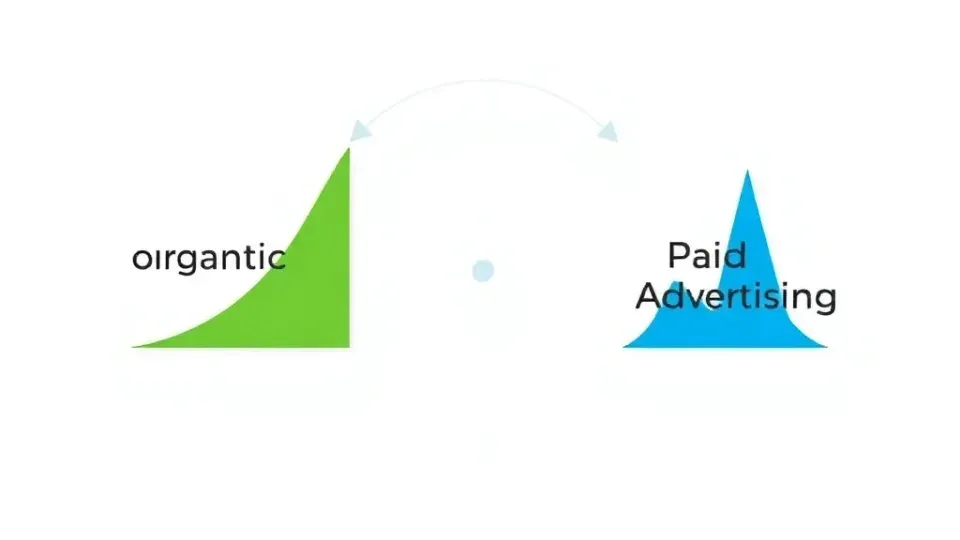
Step 4: SEO vs. SEM — Understanding the Distinction
One of the most common points of confusion in digital marketing is the difference between SEO and SEM. They both involve search engines, but the fundamental distinction is paid vs. unpaid visibility.
| Feature | SEO | SEM (Search Engine Marketing) | |---|---|---| | Traffic type | Organic (unpaid) | Paid (PPC ads) | | Cost per click | $0 (no direct cost per visit) | Set by auction ($1–$100+ per click) | | Time to results | 3–12 months typically | Immediate once ads go live | | Long-term value | Builds over time; compounds | Stops when budget stops | | Trust signals | Users often trust organic results more | Labeled as "Sponsored" in SERPs | | Best for | Long-term sustainable growth | Immediate traffic, launches, testing |
SEO meaning in marketing is specifically about earning visibility through relevance and authority — not through direct payment. SEM, most commonly executed through Google Ads, buys visibility in the same SERPs where SEO competes organically.
The two are complementary, not mutually exclusive. Many businesses run paid search campaigns for immediate results while simultaneously building organic rankings for long-term cost efficiency. In my experience working with growth-stage businesses, the ideal strategy is to use SEM to validate which keywords convert, then double down with SEO on those proven terms. That approach avoids wasting content budget on topics that don't drive revenue.
A key nuance worth flagging: some marketers use "SEM" to mean both paid and organic search collectively, while others use it exclusively for paid. In most modern digital marketing contexts, SEM = paid search and SEO = organic search — a distinction that matters when reading agency proposals or job descriptions.
Step 5: Why SEO Search Engine Optimization Meaning Matters for Business Growth

SEO isn't just a traffic tactic — it's a long-term business asset. Here's why it deserves priority in any digital marketing strategy.
The Economics of Organic Traffic
Unlike paid advertising, organic traffic doesn't stop when you turn off a budget. A well-optimized page can generate visitors, leads, and sales for months or years after it's published. BrightEdge data consistently shows that organic search delivers the highest ROI of any digital channel for most B2B and B2C businesses over a 12-month horizon.
Consider the math: a Google Ads campaign targeting "accounting software for small business" might cost $8–$15 per click. If you earn 1,000 organic visits per month from an SEO-optimized article on the same topic, you're effectively receiving the equivalent of $8,000–$15,000 in traffic value each month — after the initial content investment, at no ongoing cost per click.
Building Trust and Credibility
Organic search results carry an inherent trust signal. Research by SparkToro and others consistently shows that users click on organic results more than paid ads for most queries — particularly informational and research-phase searches. Appearing in positions 1–3 organically signals that Google considers you an authority, and that perception transfers directly to users evaluating your brand.
SEO's Role in the Full Marketing Funnel
SEO captures demand at every stage of the buyer journey:
- Awareness (top of funnel): Blog content targeting informational queries ("how does project management software work")
- Consideration (middle of funnel): Comparison and review pages ("best project management tools for remote teams")
- Decision (bottom of funnel): High-intent product and service pages ("project management software pricing")
A comprehensive SEO strategy maps content to each stage, ensuring your brand appears when potential customers are researching, comparing, and buying.
Competitive Advantage
In virtually every industry, your competitors are investing in SEO. Ignoring it doesn't make the competition disappear — it simply cedes organic territory to them. Conversely, businesses that build strong organic rankings create a durable competitive moat: once you rank well for high-value terms, outranking you requires significant time and investment from competitors.
SEO Checklist for Beginners
Use this actionable checklist to implement the fundamentals of SEO on your website. Each item addresses a specific ranking factor or foundational requirement.
Technical Foundation
- [ ] Install Google Search Console — free tool that shows which queries bring traffic, which pages are indexed, and any crawl errors
- [ ] Install Google Analytics 4 — track traffic sources, user behavior, and conversion goals
- [ ] Ensure your site is on HTTPS — get an SSL certificate if you haven't already
- [ ] Submit an XML sitemap to Google Search Console
- [ ] Check robots.txt to confirm important pages aren't accidentally blocked
- [ ] Test mobile-friendliness using Google's Mobile-Friendly Test tool
- [ ] Run a Core Web Vitals report in Search Console; address any pages flagged as "Poor"
- [ ] Fix broken links (404 errors) found in Search Console under Coverage
On-Page Optimization
- [ ] Conduct keyword research for each page — identify a primary keyword and 2–3 secondary terms
- [ ] Optimize title tags — include the primary keyword, keep under 60 characters
- [ ] Write compelling meta descriptions — include keywords naturally, keep under 160 characters
- [ ] Use one H1 per page that includes the primary keyword
- [ ] Structure content with H2 and H3 headings that cover the topic comprehensively
- [ ] Optimize images — compress file sizes, add descriptive alt text
- [ ] Add internal links from new pages to relevant existing content and vice versa
- [ ] Ensure content covers the topic thoroughly — answer the full search intent, not just the surface query
Off-Page and Authority Building
- [ ] Claim your Google Business Profile (critical for local businesses)
- [ ] Identify 3–5 link building opportunities — guest post targets, resource page outreach, or partner websites
- [ ] Audit your existing backlinks using Ahrefs, SEMrush, or Google Search Console
- [ ] Create at least one piece of link-worthy content per quarter — original data, a comprehensive guide, or a free tool
Content Strategy
- [ ] Map keywords to content types — informational queries get blog posts; transactional queries get product/service pages
- [ ] Create a content calendar with at least 2–4 pieces of new content per month
- [ ] Refresh and update existing content every 6–12 months to maintain relevance
- [ ] Add FAQ sections to important pages using FAQ Schema markup
Tools to Accelerate the Process
For independent publishers and small businesses managing SEO alongside everything else, tools that consolidate keyword research, content creation, and publishing can dramatically reduce time investment. Writora is an all-in-one SEO platform built specifically for independent publishers, with features for keyword clustering, AI-assisted article generation, and one-click publishing. It's worth exploring if you want to scale content output without proportionally scaling time. A free trial is available at writora.online.
Other strong beginner-friendly SEO tools include:
- Google Search Console (free, essential)
- Google Analytics 4 (free, essential)
- Ubersuggest (beginner-friendly, freemium)
- Ahrefs Webmaster Tools (free tier available)
- Screaming Frog SEO Spider (free for up to 500 URLs)
Frequently Asked Questions About SEO
What does SEO stand for?
SEO stands for Search Engine Optimization. It refers to the practice of optimizing websites and digital content to improve their visibility in organic (unpaid) search engine results. The term encompasses both the strategy and the technical execution involved in earning higher rankings on platforms like Google, Bing, and Yahoo.
Is SEO the same as SEM or paid search?
No — SEO and SEM are related but distinct. SEO focuses exclusively on earning organic (unpaid) rankings through content quality, site authority, and technical optimization. SEM, in most modern usage, refers to paid search advertising — such as Google Ads — where you pay for each click. The key difference: SEO traffic costs nothing per click but takes time to build, while SEM traffic is immediate but stops the moment your budget does.
How long does it take to see SEO results?
Most websites begin to see measurable SEO results within 3–6 months, with more significant improvements typically visible at the 6–12 month mark. Several factors influence the timeline:
- Domain age and existing authority — newer domains take longer to establish trust signals
- Competition level — highly competitive niches require more time and resources
- Content volume and quality — publishing more high-quality, optimized content accelerates results
- Technical health — sites with crawl errors or poor performance may stall until issues are resolved
SEO is an ongoing process, not a one-time fix. Search algorithms update frequently — Google makes thousands of algorithm adjustments per year — and competitor strategies evolve continuously. Businesses that treat SEO as a permanent channel, rather than a project with an end date, consistently outperform those that don't.
Can I do SEO myself, or do I need an agency?
You can absolutely do SEO yourself, especially in the early stages. The fundamentals — keyword research, content creation, on-page optimization, and basic technical setup — are learnable skills with ample free resources available, including Google's own Search Central documentation. Many small businesses and solo publishers manage SEO effectively in-house. That said, there are scenarios where an agency or specialist makes sense: highly competitive industries, technical issues that require developer involvement, large websites with hundreds of pages, or situations where you need accelerated results and have the budget to invest. A practical middle ground is to handle content and on-page SEO yourself while hiring specialists for technical audits or link building campaigns.
What are the best SEO tools for beginners?
The best beginner SEO tools balance usability with functionality. Here's a practical starting list:
- Google Search Console — the single most essential free tool; shows how Google sees your site
- Google Analytics 4 — tracks traffic, user behavior, and goal completions
- Ahrefs or SEMrush — industry-leading paid tools for keyword research, backlink analysis, and site audits (both offer free tiers or trials)
- Screaming Frog SEO Spider — crawls your website and identifies technical issues
- Writora — particularly useful for independent publishers who need keyword clustering and content generation in one workflow
Most beginners can get started with just Google Search Console and Analytics, then add a paid tool as their strategy matures and their content output scales.
Conclusion: Applying the SEO Search Engine Optimization Meaning to Your Site
The seo search engine optimization meaning comes down to one core idea: earning visibility in search results by making your website more relevant, trustworthy, and technically sound — without paying for each visit. The three pillars — on-page SEO (content and keywords), off-page SEO (backlinks and authority), and technical SEO (site infrastructure and performance) — form an integrated system where each element reinforces the others.
What makes SEO genuinely powerful as a business strategy is its compounding nature. Unlike paid advertising, which delivers results only while you're spending, a well-optimized piece of content or a strong backlink profile continues delivering organic traffic long after the initial work is done. This is why BrightEdge consistently finds organic search driving more than half of all website traffic across most industries — and why businesses that invest early tend to hold rankings that are difficult for competitors to displace.
The most important thing to understand: SEO is an ongoing practice, not a one-time project. Search algorithms evolve, competitor strategies shift, and user intent changes. Businesses that treat SEO as a continuous investment, rather than a box to check once, are the ones that accumulate durable organic growth over time.
Your next step: Return to the beginner's SEO checklist above and identify the three most critical gaps on your current website. Start with technical foundations — Search Console, HTTPS, Core Web Vitals — then move to on-page optimization for your highest-priority pages. Small, consistent improvements compound into significant organic growth. If you're looking to accelerate the process, tools like Writora can help you systematize keyword research and content creation so SEO becomes a sustainable, scalable part of your publishing workflow rather than an overwhelming chore.