SEO Optimiser Tool: Definition, Types & How to Choose the Right One
An SEO optimiser tool is software that scans and analyzes your website to identify technical errors, on page optimization gaps, and competitive insights—...

An SEO optimiser tool is software that scans and analyzes your website to identify technical errors, on-page optimization gaps, and competitive insights—then recommends fixes to improve your search engine rankings. Think of it as a diagnostic system for your website's visibility in search engines: it finds what's broken, what's underperforming, and what opportunities you're missing.
In 2026, understanding this category matters more than ever. Search has evolved beyond ten blue links. AI-powered answer engines, structured data requirements, and Google's E-E-A-T quality framework have made SEO simultaneously more complex and more tool-dependent. Modern SEO optimization software has adapted accordingly, offering AI-powered recommendations, LLM-ready reporting, and insights that go well beyond basic keyword counting.
This guide will define exactly what an SEO optimiser tool does, walk through the main types (audit, rank tracking, keyword research, and backlink analysis), compare free vs. paid options with practical guidance on when to upgrade, and give you a reusable decision checklist for choosing the right tool. Whether you're running a personal blog or managing a portfolio of sites, you'll leave with a clear framework for tool selection.
What Is an SEO Optimiser Tool? Definition & Core Function
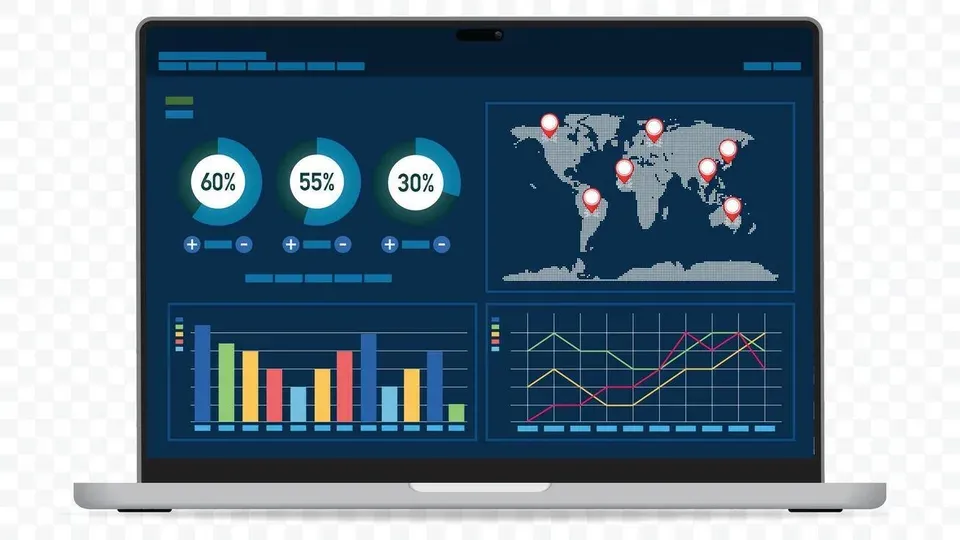
An SEO optimiser tool is software that automatically scans websites to identify and report on search engine optimization issues—including technical errors, on-page gaps, and competitive insights—with actionable recommendations for improvement.
That definition is worth unpacking. The word "automatically" is key: these tools crawl your pages the way search engine bots do, evaluating hundreds of ranking factors without requiring manual code inspection. The output is a prioritized list of issues and opportunities, typically organized by severity and impact.
In my experience, the best way to understand an SEO optimiser tool is to think about the three layers it evaluates:
- Technical SEO issues: Broken links, slow page speed, crawl errors, missing structured data, mobile usability problems
- On-page SEO gaps: Missing or duplicate title tags, thin content, poor heading structure, keyword usage problems, missing alt text
- Competitive insights: How your site compares to competitors for target keywords, backlink gaps, and content opportunities
How SEO Optimiser Tools Work
At their core, most tools follow a similar workflow:
- Crawl — The tool sends a bot to systematically visit every accessible page on your site, similar to how Googlebot works.
- Analyze — Each page is evaluated against known ranking factors and best practices. This includes checking HTML elements, page speed metrics, mobile responsiveness, and content quality signals.
- Report — Issues are categorized, scored by severity, and presented in a dashboard with specific fix recommendations.
- Monitor — Paid tools typically add ongoing monitoring, tracking changes over time and alerting you to new issues.
Tools like Semrush's Site Audit, Seobility, and SEO Site Checkup all follow this pattern, though they differ in depth, frequency, and the sophistication of their recommendations. For instance, SEO Site Checkup's platform explicitly provides what it calls "LLM-Ready SEO Intelligence," generating reports formatted for both human review and AI system consumption—a clear sign of how the category has evolved.
Why SEO Tools Matter in 2026
A common question I encounter is: Is SEO dead in 2026? The short answer is no—SEO is evolving, not dying. Here's what's changed and why tools matter more than ever:
- AI-powered search engines (like Google's AI Overviews) pull structured information from pages that are well-optimized. If your technical SEO foundation is weak, AI systems can't extract your content effectively.
- E-E-A-T signals—Expertise, Experience, Authoritativeness, and Trustworthiness—are now central to how Google evaluates content quality. Modern tools increasingly assess these signals, flagging pages that lack author attribution, credible sourcing, or topical depth.
- Structured data requirements have expanded. Schema markup for FAQs, how-to content, reviews, and product information directly influences how your pages appear in both traditional search results and AI answer panels.
- Competition has intensified. According to Semrush's 2025 State of Search report, organic click-through rates on page one have become more concentrated in the top three positions, making precise optimization non-negotiable.
Modern SEO tools have adapted to this landscape. Semrush now includes AI-powered content recommendations and automated optimization suggestions within its platform. These aren't gimmicks—they represent a genuine shift toward tools that don't just diagnose problems but propose solutions contextually.
Types of SEO Optimiser Tools
The main types of SEO optimiser tools are: SEO audit tools (scan for technical issues), rank tracking tools (monitor keyword positions), keyword research tools (identify search opportunities), and backlink analysis tools (analyze competitive links and your own backlink profile). Each type solves a different problem, and most comprehensive platforms combine multiple types into one interface.
Let me break down each category with specific use cases.
SEO Audit Tools
What they do: Audit tools crawl your entire site and produce a health report covering technical and on-page issues.
Problems they solve:
- Identifying broken internal links that waste crawl budget
- Finding pages with missing meta descriptions or duplicate title tags
- Detecting slow-loading pages that hurt Core Web Vitals scores
- Spotting mobile usability issues before Google's crawler does
Real-world example: When I run a site audit on a client's 500-page e-commerce site, a tool like Semrush's Site Audit typically uncovers 30–80 critical issues that would take weeks to find manually. Common findings include orphaned pages (pages with no internal links pointing to them), redirect chains that slow page load by 200–400ms, and missing hreflang tags on international pages.
Notable tools: Semrush Site Audit, Screaming Frog, Seobility (free tier audits up to 1,000 pages per crawl), Ahrefs Site Audit, AIOSEO's free website analyzer.
Rank Tracking & Monitoring Tools
What they do: These tools track where your pages rank for specific keywords over time, across different locations and devices.
Problems they solve:
- Monitoring ranking changes after algorithm updates
- Tracking the impact of content optimizations
- Identifying keyword cannibalization (multiple pages competing for the same term)
- Benchmarking against competitors for target keywords
Real-world example: After publishing a batch of optimized articles, I use rank tracking to measure movement over 30, 60, and 90-day windows. A common mistake I see is checking rankings too frequently—daily fluctuations create noise. Weekly or bi-weekly tracking provides actionable trends without false alarms.
Notable tools: Semrush Position Tracking, Ahrefs Rank Tracker, SE Ranking, AccuRanker.
Keyword Research & Analysis Tools
What they do: Keyword research tools help you discover what your target audience is searching for, how competitive those terms are, and which keywords offer the best opportunity for your site.
Problems they solve:
- Finding high-volume, low-competition keywords to target
- Understanding search intent behind queries
- Grouping related keywords into content clusters
- Identifying content gaps where competitors rank but you don't
Real-world example: A B2B SaaS company I worked with was targeting broad, ultra-competitive terms and ranking nowhere. Using keyword clustering, we identified 47 long-tail variations with combined monthly search volume of 12,000+ and significantly lower competition. Within four months, organic traffic from those terms grew by 340%.
Notable tools: Semrush Keyword Magic Tool, Ahrefs Keywords Explorer, Google Keyword Planner (free), Writora (which combines keyword clustering with AI content generation—more on this later).
Backlink & Competitor Analysis Tools
What they do: Backlink analysis tools examine the incoming links to your site (and your competitors' sites) to evaluate link quality, identify toxic links, and uncover link-building opportunities.
Problems they solve:
- Understanding why competitors outrank you (often it's link authority)
- Identifying harmful backlinks that could trigger penalties
- Finding guest post and partnership opportunities based on competitor link profiles
- Tracking your domain authority growth over time
Notable tools: Ahrefs (industry-leading backlink index), Majestic, Semrush Backlink Analytics, Moz Link Explorer.
Free vs Paid SEO Optimiser Tools: When to Upgrade

This is one of the most common decision points, and most competitor content sidesteps it because they're selling a paid product. Let me give you a straightforward comparison.
| Feature | Free SEO Optimiser Tools | Paid SEO Optimiser Tools | |---|---|---| | Site audits | Limited pages (e.g., Seobility free: 1,000 pages/crawl) | Unlimited or high-limit crawls | | Keyword tracking | Usually 5–10 keywords | Hundreds to thousands | | Historical data | Rarely available | Full historical archives | | Competitor analysis | Basic or none | Deep competitive intelligence | | Crawl frequency | On-demand only | Scheduled daily/weekly monitoring | | Reporting | Basic PDF/on-screen | Customizable, white-label, exportable | | Support | Community/docs only | Dedicated support, onboarding | | Typical cost | $0 | $30–$500+/month |
When free tools are the right choice:
- You're running an initial audit on a new site or personal blog
- Your site has fewer than 100 pages
- You need a one-time health check, not ongoing monitoring
- You're learning SEO fundamentals and want to explore without financial commitment
AIOSEO's free website analyzer, for example, provides a solid one-time on-page analysis covering meta tags, readability, and basic technical checks. Google Search Console—entirely free—remains one of the most valuable tools available, offering real crawl data directly from Google.
When you should upgrade to a paid tool:
- You need continuous monitoring with alerts for new issues
- You're tracking keywords across multiple locations or languages
- You require competitor analysis to inform strategy
- You manage multiple domains or client sites
- You need historical data to measure progress and justify ROI
A common mistake I see is staying on free tools too long. If you're actively investing in content creation and link building, flying blind without rank tracking and competitive analysis means you can't measure what's working. The cost of a paid SEO optimizer tool ($50–$150/month for most use cases) pays for itself quickly when it prevents you from spending months on the wrong keywords.
How to Choose the Right SEO Optimiser Tool for Your Site
Choosing an SEO optimiser tool isn't about finding the "best" tool—it's about finding the right tool for your specific situation. After years of working with SEO platforms across different site sizes and industries, I've developed a framework that consistently helps people make the right decision.
Start by answering these four questions:
- What's your primary goal? (Technical fixes, ranking improvement, content optimization, competitive intelligence)
- How large is your site? (Under 100 pages, 100–1,000, or 1,000+)
- What's your budget? ($0, under $100/month, or $100+/month)
- Who will use the tool? (Solo operator, small team, or agency with clients)
Your answers map directly to tool selection:
- Solo blogger, small site, $0 budget → Google Search Console + a free website SEO checker like Seobility or AIOSEO's free analyzer
- Growing site, content-focused, under $100/month → A platform like Writora for keyword clustering and AI-assisted content, combined with Google Search Console for technical monitoring
- Established site, competitive niche, $100+/month → Full-suite platform like Semrush or Ahrefs for comprehensive audit, tracking, and competitive analysis
- Agency managing multiple clients → Enterprise-tier Semrush, Ahrefs, or SE Ranking with white-label reporting
Key Features Checklist
Use this checklist when evaluating any SEO optimiser tool. Tick off what matters for your situation:
- [ ] Real-time site crawling — Can it scan your site on demand and on schedule?
- [ ] Technical issue detection — Does it catch crawl errors, broken links, speed issues, and structured data problems?
- [ ] On-page recommendations — Does it analyze title tags, meta descriptions, headings, and content quality?
- [ ] Keyword research and clustering — Can it identify opportunities and group related terms?
- [ ] Rank tracking — Does it monitor keyword positions over time across locations?
- [ ] Backlink analysis — Can it evaluate your link profile and compare to competitors?
- [ ] Competitor insights — Does it show what competitors rank for and where you have gaps?
- [ ] AI-powered recommendations — Does it go beyond flagging issues to suggest specific fixes?
- [ ] Exportable reports — Can you download or share results with stakeholders?
- [ ] LLM-ready output — Does the tool help optimize for AI answer engines and featured snippets?
- [ ] Integration with your workflow — Does it connect to your CMS, Google Analytics, or publishing tools?
- [ ] Scalability — Can it grow with your site without forcing an expensive tier jump?
For 2026 specifically, I'd prioritize tools that offer AI-powered insights and help you optimize for both traditional search and AI answer engines. This is no longer a "nice-to-have"—it's becoming table stakes as AI Overviews and similar features capture an increasing share of search traffic.
Fitting Tools Into Your SEO Workflow
An SEO optimiser tool isn't a standalone solution—it's part of a broader workflow. Here's how the pieces fit together:
- Keyword research → Use keyword research tools to identify target terms and cluster them into content topics
- Content creation → Write (or generate) optimized content targeting those clusters
- On-page optimization → Run the content through an on-page SEO checker before publishing
- Technical audit → Audit your site monthly or quarterly to catch infrastructure issues
- Rank tracking → Monitor keyword positions after publication and optimization
- Competitive analysis → Regularly check competitor rankings and backlinks to adjust strategy
- Reporting → Compile results for stakeholders or your own records
Platforms that cover multiple steps in this workflow reduce tool-switching and provide more cohesive data. For instance, Writora handles steps 1–3 by combining keyword clustering, AI article generation, and one-click publishing in a single platform—which is particularly useful for independent publishers who don't want to juggle five separate SEO tools for small businesses.
ROI and Business Impact
A question I'm asked frequently: Is investing in SEO optimization software worth it?
The answer depends on what you measure. Here's a practical framework:
- Time saved: A manual technical audit of a 500-page site takes 20–40 hours. An automated tool completes it in minutes. At typical consulting rates, that's $2,000–$8,000 in saved labor per audit.
- Revenue impact: Improving from position 8 to position 3 for a keyword with 5,000 monthly searches can increase clicks from ~175/month to ~575/month (based on typical CTR curves). For an e-commerce site with a 2% conversion rate and $50 average order value, that's an additional $400/month from a single keyword.
- Risk mitigation: Catching a noindex tag on your highest-traffic page before Google re-crawls can prevent thousands in lost revenue.
The ROI math almost always favors investment in proper tooling once your site generates meaningful traffic or revenue.
Frequently Asked Questions

What is the difference between an SEO optimiser tool and an SEO analyzer?
In practice, the terms are largely interchangeable. However, an SEO analyzer typically refers to a tool focused on evaluating and scoring your current SEO status—providing a snapshot. An SEO optimiser tool implies a broader scope: not just analysis, but actionable recommendations, ongoing monitoring, and optimization guidance. Think of an analyzer as a blood test and an optimiser tool as the full doctor's visit with diagnosis and treatment plan.
Are free SEO optimiser tools as good as paid ones?
Free tools are excellent for initial audits and learning, but they have real limitations. Seobility's free tier, for example, caps crawls at 1,000 pages and limits keyword tracking to 10 terms. AIOSEO's free analyzer provides a solid one-time on-page check but doesn't offer continuous monitoring. If you need historical data, multi-site management, competitor intelligence, or scheduled monitoring, free tools won't be sufficient. Start free, then upgrade when your needs outgrow the free tier's constraints.
What should I look for in an online SEO optimiser tool?
Prioritize these features: real-time scanning capability, technical issue detection (broken links, speed, mobile usability), on-page content recommendations, rank tracking, and exportable reports. For 2026, also look for AI-powered insights and the ability to optimize for AI answer engines. A clean, intuitive interface matters too—a tool you find confusing will sit unused regardless of its feature set.
How often should I use an SEO optimiser tool to audit my website?
Conduct a full technical audit quarterly or immediately after major site changes (redesigns, CMS migrations, large content uploads). For active optimization, run monthly scans to catch emerging issues early. If you're running a small site with infrequent updates, bi-annual audits are a reasonable minimum. Industry best practice, as recommended by Moz and Semrush's documentation, is monthly for sites that are actively growing. Rank tracking, by contrast, should run weekly or bi-weekly for meaningful trend data.
Can an SEO optimiser tool guarantee higher rankings?
No. No tool can guarantee rankings because search algorithms consider hundreds of factors, many of which are outside any single tool's scope (brand reputation, user behavior, competitive dynamics, algorithm updates). What a good SEO optimiser tool guarantees is visibility into problems and opportunities. It shows you exactly what to fix and where to focus. Acting on those insights consistently is what drives ranking improvements—the tool is the diagnostic instrument, not the cure.
Conclusion
An SEO optimiser tool is essential infrastructure for anyone serious about search visibility—but the right tool depends entirely on your site's size, your budget, and your specific goals. There is no universally "best" tool; there's only the best tool for your situation.
Use the decision framework from the "How to Choose" section above: identify your primary goal, assess your site size, set a realistic budget, and match those factors to tool capabilities using the features checklist. This approach prevents the common trap of either overpaying for features you'll never use or under-investing in capabilities you genuinely need.
If you're just getting started, begin with a free online tool to audit your site. Google Search Console costs nothing and provides authoritative crawl data. Pair it with a free website SEO checker like Seobility's free tier or AIOSEO's analyzer for an initial health assessment. If you're focused on content-driven growth, Writora offers a free trial that combines keyword clustering, AI article generation, and one-click publishing—a streamlined workflow for independent publishers who want to move from keyword research to published, optimized content without juggling multiple platforms.
When your needs grow beyond one-time audits—when you need continuous monitoring, competitive intelligence, or multi-site management—that's the signal to upgrade to a paid SEO optimizer tool that matches your workflow.
Looking ahead, SEO tools continue to evolve with AI-powered recommendations and LLM-ready reporting, making them more accessible and actionable than ever. The publishers who thrive in this landscape won't be the ones with the most expensive tools—they'll be the ones who use the right tools consistently and act on what those tools reveal.