SEO Guide: Complete Step-by-Step Workflow for Ranking in Google
Organic search still drives over 53% of all website traffic, according to BrightEdge research—a figure that has held remarkably steady even as AI powered...

Organic search still drives over 53% of all website traffic, according to BrightEdge research—a figure that has held remarkably steady even as AI-powered search features reshape how results are displayed. If you've been wondering how to do SEO in a landscape of AI Overviews, zero-click searches, and ever-evolving algorithms, you're in exactly the right place.
This SEO guide is the resource I wish I had when I started optimizing websites over a decade ago. It's built for two audiences: complete beginners who need a clear, jargon-free starting point (SEO for beginners), and experienced practitioners who want a structured workflow to audit, refine, and scale their organic strategy.
SEO (Search Engine Optimization) is the practice of optimizing your website and content to rank higher in organic search results, driving qualified traffic from search engines like Google. And no—SEO is not dead. It's evolving. The fundamentals of keyword research, quality content, and technical optimization remain the bedrock of every successful organic strategy, even as the tools and tactics around them shift.
Here's what you'll walk away with after reading this SEO guide:
- A clear understanding of how search engines crawl, index, and rank pages
- A complete keyword research methodology you can execute today
- On-page, technical, and off-page optimization checklists
- A content strategy framework rooted in topical authority
- Link building techniques that actually work in the current landscape
- A four-phase SEO action plan with real-world examples
- Tool recommendations (including Mangools, Google Search Console, and more)
- Common mistakes to avoid—and how to fix them if you've already made them
Prerequisite Checklist: Before You Start
Before diving into the workflow, make sure you have the following in place:
- [ ] Domain ownership — You have a live website (or are about to launch one) with access to the domain registrar and hosting.
- [ ] Google Search Console — Your site is verified and submitting data. If not, set this up at search.google.com/search-console.
- [ ] Google Analytics 4 — Installed and tracking at least basic page views and events.
- [ ] Basic HTML knowledge — You can identify title tags, meta descriptions, heading tags, and alt attributes, or you're willing to learn.
- [ ] A text editor or CMS — WordPress, Shopify, Webflow, or any platform where you can edit page content and metadata.
- [ ] Patience and consistency — SEO is a compounding investment, not an overnight hack.
If you can check off at least the first three items, you're ready to begin.
What Is SEO and Why Does This SEO Guide Matter?
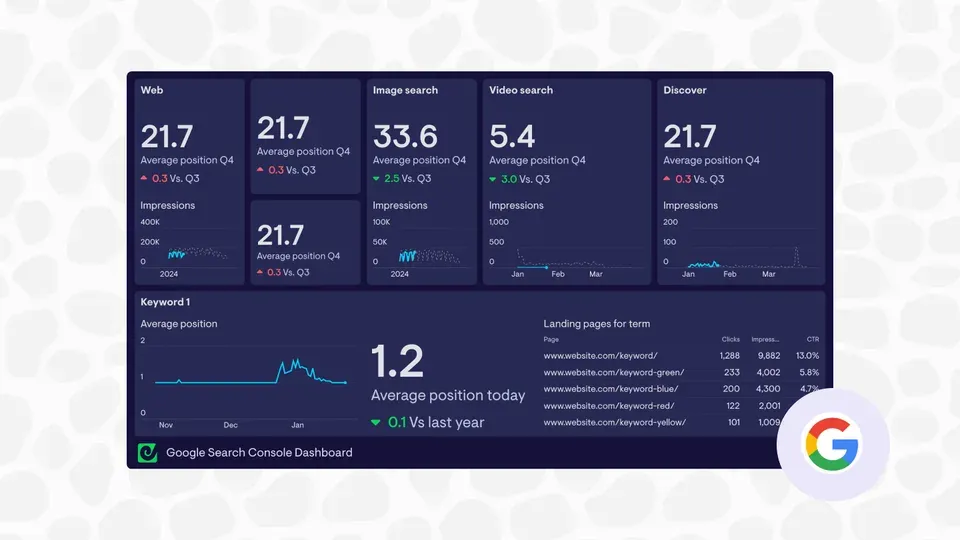
At its core, search engine optimization is the art and science of making your web pages more visible in unpaid ("organic") search results. When someone types a query into Google, Bing, or any other search engine, an algorithm evaluates hundreds of signals to decide which pages best answer that query. SEO is how you influence those signals in your favor.
The three main types of SEO are:
| Type | Focus | Key Activities | |------|-------|---------------| | On-Page SEO | Content and HTML elements | Title tags, meta descriptions, headings, keyword placement, content quality | | Technical SEO | Website infrastructure | Site speed, mobile responsiveness, structured data, crawlability, indexing | | Off-Page SEO | External authority signals | Link building, brand mentions, social signals, digital PR |
All three work together. A beautifully written article won't rank if your site takes eight seconds to load. A technically flawless site won't attract organic traffic if the content doesn't match what people are searching for. And neither will reach its full potential without authoritative backlinks signaling trust to search engines.
Is SEO Dead or Evolving?
Direct answer: SEO is evolving, not dead. This question resurfaces every year—usually after a major Google algorithm update or the introduction of a new SERP feature. In reality, the data tells a consistent story.
According to SparkToro's analysis of clickstream data, Google processes over 8.5 billion searches per day. While zero-click searches (where the user gets their answer directly on the SERP) have increased, organic clicks still represent the largest single source of website traffic across most industries.
Here's what has changed:
- AI Overviews — Google's AI-generated summaries appear at the top of many results pages. This means some informational queries get answered without a click, but it also means structured, authoritative content gets featured and cited more prominently.
- User experience signals — Core Web Vitals, page experience, and engagement metrics play a larger role in rankings than they did five years ago.
- Content quality standards — Google's Helpful Content system, refined through multiple updates, rewards content created for humans over content created purely for search engines.
- E-E-A-T emphasis — Experience, Expertise, Authoritativeness, and Trustworthiness have become central to how Google evaluates content quality, especially in YMYL (Your Money, Your Life) topics.
What hasn't changed:
- Keywords still matter. Google still matches queries to pages based on topical relevance.
- Links still matter. Backlinks remain one of the strongest ranking signals.
- Technical foundations still matter. If Google can't crawl and index your site, nothing else matters.
In my experience working with sites across dozens of niches, the businesses that declare "SEO is dead" are almost always the ones that tried to game the system with shortcuts. The businesses that invest in sustainable, user-first optimization continue to see compounding organic growth year after year.
The Business Case for SEO
Why should you invest time, money, and energy into SEO when you could just run paid ads? Let me lay out the numbers.
Cost efficiency over time: The average cost-per-click in Google Ads across all industries is approximately $2.69 for search and $0.63 for display, according to WordStream benchmarks. For competitive industries like legal services or insurance, CPCs can exceed $50. SEO, once the content and technical foundation is in place, drives traffic at no incremental cost per click.
Compounding returns: A well-optimized page can rank for months or years, generating traffic long after the initial investment. Paid ads stop the moment you stop paying. In my experience, a single cornerstone article can generate thousands of visits per month for three to five years with periodic updates.
Trust and credibility: According to Search Engine Journal survey data, 70% of marketers consider SEO more effective than PPC for driving long-term sales. Organic results also carry an implicit trust signal—users know that organic listings aren't paid placements.
Competitive moat: Every piece of optimized content, every quality backlink, and every technical improvement adds to your site's authority. Over time, this creates a competitive advantage that's very difficult for new entrants to replicate quickly.
Here's a real-world illustration: A B2B SaaS company I consulted with was spending $15,000/month on Google Ads for 2,000 monthly visits. After 12 months of focused SEO work (roughly the same total investment), they were generating 8,000 organic visits per month—and the traffic kept growing even after the active campaign ended.
The bottom line: SEO isn't free, and it isn't instant. But for nearly every business with a web presence, it's the highest-ROI marketing channel over a multi-year horizon.
SEO vs. Other Marketing Channels
Understanding where SEO fits in the broader marketing mix helps you allocate resources wisely. Here's how it compares:
| Channel | Time to Results | Cost Structure | Sustainability | Best For | |---------|----------------|---------------|----------------|----------| | SEO | 3–12 months | Upfront investment, minimal ongoing cost per visitor | High — traffic compounds | Long-term growth, content-driven businesses | | PPC (Google Ads) | Immediate | Pay per click, costs scale linearly | Low — stops when budget stops | Quick wins, testing markets, competitive terms | | Social Media (Organic) | 1–6 months | Time investment, low direct cost | Medium — algorithm-dependent | Brand awareness, community building | | Email Marketing | 1–3 months | Low cost per send | High — you own the list | Retention, upselling, nurturing leads | | Content Marketing | 3–12 months | Content creation cost | High — assets appreciate | Thought leadership, SEO fuel |
The smartest approach, in my experience, is to use PPC for immediate traffic while building your SEO foundation. As organic traffic grows, you can shift budget away from paid channels. The companies I've worked with that combine SEO with email marketing tend to see the highest overall ROI because SEO drives new visitors and email converts them over time.
How Search Engines Work: The SEO Guide to Crawling, Indexing, and Ranking
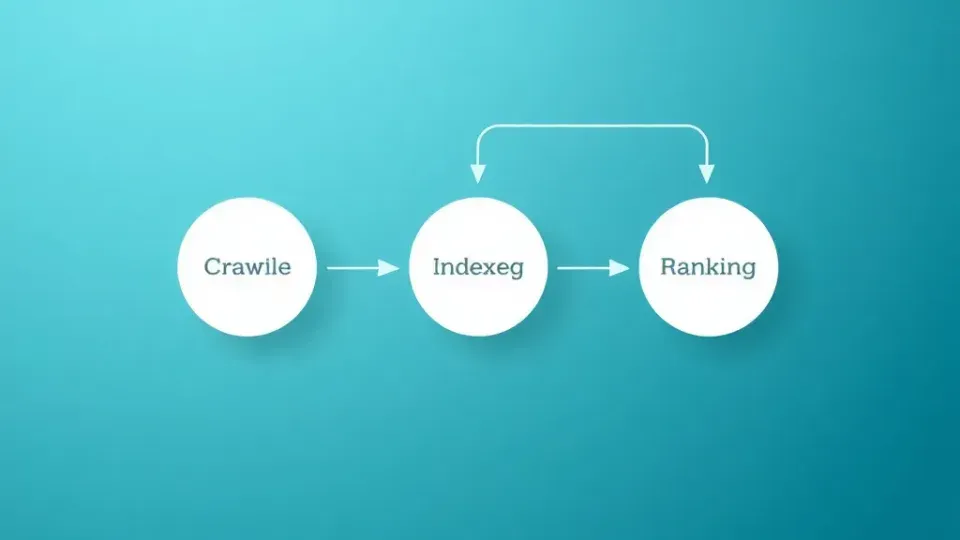
Before you can optimize for search engines, you need to understand how they operate. Google's process can be broken down into three distinct phases: crawling, indexing, and ranking. Each phase has its own set of requirements, and a failure at any stage means your content won't appear in search results. This part of our SEO guide covers the mechanics you need to know.
The Crawl Phase
Crawling is the automated process by which search engine bots (also called "spiders" or "Googlebot") discover new and updated pages on the web by following links. Think of it as a librarian who systematically visits every shelf in a massive, constantly expanding library.
How it works:
- Googlebot starts with a list of known URLs from previous crawls and XML sitemaps.
- It visits each URL and reads the page content and code.
- It follows links on each page to discover new URLs.
- It records all the data it finds and sends it to Google's servers for processing.
Key factors that affect crawling:
- Crawl budget — Google allocates a certain amount of resources to crawl your site. Large sites with millions of pages need to be especially mindful of crawl efficiency. For smaller sites (under 10,000 pages), crawl budget is rarely a concern.
- Site architecture — Pages that are buried deep in your site structure (requiring many clicks from the homepage) may be crawled less frequently or not at all.
- Robots.txt — This file tells crawlers which parts of your site they can and cannot access. A misconfigured robots.txt can accidentally block important pages.
- Internal links — The more internal links pointing to a page, the easier it is for Googlebot to discover and revisit that page.
- Page load speed — If your server is slow, Googlebot may reduce its crawl rate to avoid overloading your resources.
Common crawl issues to watch for:
- Orphan pages (pages with no internal links pointing to them)
- Infinite crawl loops (e.g., calendar pages that generate URLs endlessly)
- Server errors (5xx responses) that waste crawl budget
- Blocked resources in robots.txt that prevent Googlebot from rendering pages
Pro tip: In Google Search Console, navigate to Settings → Crawl Stats to see how often Googlebot visits your site, the average response time, and any crawl errors encountered.
The Indexing Phase
Indexing is the process of adding discovered pages to a search engine's database after analyzing their content, structure, and metadata. Just because a page has been crawled doesn't mean it will be indexed. Google makes a quality and relevance judgment before deciding whether to include a page in its index.
What Google evaluates during indexing:
- Content quality and uniqueness — Is this page substantially different from other pages already in the index? Duplicate or thin content may not be indexed.
- Canonical tags — The
rel=canonicaltag tells Google which version of a page is the "master" version when duplicates exist. - Noindex directives — A
<meta name="robots" content="noindex">tag explicitly tells Google not to include the page. - Structured data — Schema markup helps Google understand the type and meaning of content, which can influence how (and whether) it's indexed and displayed.
How to check if your pages are indexed:
- Site search operator: Type
site:yourdomain.com/page-urlinto Google. If the page appears, it's indexed. - Google Search Console → URL Inspection tool: Enter any URL to see its current index status, any crawl issues, and when it was last crawled.
- Google Search Console → Pages report: Shows a comprehensive breakdown of indexed vs. non-indexed pages, with specific reasons for exclusion.
Common indexing problems:
| Problem | Cause | Fix | |---------|-------|-----| | Page not indexed | Noindex tag present | Remove the noindex directive | | Duplicate content | Multiple URLs with same content | Set canonical tags properly | | Crawled but not indexed | Low content quality or thin content | Improve content depth and uniqueness | | Blocked by robots.txt | Robots.txt disallowing crawl | Update robots.txt to allow access | | Soft 404 | Page exists but returns empty or near-empty content | Add substantial content or redirect |
A common mistake I see is developers leaving noindex tags on staging sites and forgetting to remove them when they push to production. Always verify your indexing directives after any site migration or redesign.
The Rendering Phase
Between crawling and indexing, there's a step many SEO guides overlook: rendering. Rendering is the process by which Googlebot executes JavaScript on your page to see the content as a user would.
Why rendering matters:
- Many modern websites rely on JavaScript frameworks (React, Angular, Vue.js) that load content dynamically.
- If Googlebot can't execute the JavaScript, it may see an empty page—even if the page looks perfectly fine in your browser.
- Rendering is resource-intensive, so Google may delay it, creating a gap between when a page is crawled and when its content is actually processed.
How to test rendering:
- Google Search Console → URL Inspection → "Test Live URL" — Click "View Tested Page" and then "Screenshot" to see exactly what Google sees.
- Mobile-Friendly Test — Google's tool renders the page and shows any issues.
- Chrome DevTools → Disable JavaScript — Visit your page with JavaScript disabled to see what Googlebot initially crawls.
Best practices for JavaScript SEO:
- Use server-side rendering (SSR) or static site generation (SSG) for critical content pages. This ensures Googlebot sees the full content without relying on client-side JavaScript.
- Implement dynamic rendering as a fallback if SSR isn't feasible. This serves a pre-rendered version to search engine bots while serving the JavaScript version to users.
- Avoid hiding critical content behind JavaScript interactions (tabs, accordions, click-to-expand) unless the content is present in the initial HTML source.
- Test all important pages in Google Search Console's URL Inspection tool after any JavaScript framework changes.
In my experience, JavaScript rendering issues are one of the most under-diagnosed SEO problems. I've audited sites that had hundreds of pages generating zero organic traffic simply because Googlebot couldn't render the JavaScript that loaded the page's primary content.
The Ranking Phase
Ranking is the algorithmic process by which search engines order indexed pages based on relevance, authority, and user experience signals. This is where the magic (and the complexity) happens.
Google uses over 200 ranking signals, but they can be grouped into several major categories:
Relevance signals:
- Keyword matching between the query and page content
- Topical depth and comprehensiveness
- Semantic understanding (Google's ability to interpret meaning, not just exact keywords)
- Search intent alignment (informational, navigational, commercial, transactional)
Authority signals:
- Number and quality of backlinks from other websites
- Domain authority and trust
- Brand mentions and citations
- Internal link structure and PageRank distribution
User experience signals:
- Core Web Vitals (LCP, INP, CLS)
- Mobile-friendliness
- Page load speed
- HTTPS security
- Intrusive interstitial avoidance (no aggressive popups)
Content quality signals:
- E-E-A-T (Experience, Expertise, Authoritativeness, Trustworthiness)
- Content freshness and recency (for time-sensitive queries)
- Helpful Content system alignment
- Original research, data, and insights
Engagement signals (debated but influential):
- Click-through rate from SERPs
- Dwell time (how long users stay on a page)
- Pogo-sticking (returning to SERPs quickly to choose a different result)
Understanding Search Intent
Understanding search intent is crucial. Google's algorithms have become remarkably good at determining what type of content a user expects for a given query. There are four primary intent types:
| Intent Type | User Goal | Example Query | Expected Result | |------------|-----------|---------------|-----------------| | Informational | Learn something | "what is SEO" | Guide, blog post, knowledge panel | | Navigational | Find a specific site/page | "Google Search Console login" | Official website | | Commercial | Compare options before buying | "best SEO tools" | Review articles, comparison posts | | Transactional | Complete a purchase or action | "buy Mangools subscription" | Product page, pricing page |
When you optimize a page, you need to match both the keywords and the intent behind them. In my experience, intent misalignment is one of the top reasons pages fail to rank despite having quality content.
How to determine intent for any keyword:
- Search the keyword in incognito mode and study the top 10 results.
- Note the content format — Are results mostly guides, listicles, product pages, or videos?
- Check for SERP features — Featured snippets suggest informational intent. Shopping results suggest transactional intent. Local packs suggest local intent.
- Look at the "People Also Ask" box — These reveal the related questions users have, which helps you understand the broader intent landscape.
A practical example: If you target "best running shoes," the SERP is dominated by comparison articles and listicles—not product pages. If you try to rank a single product page for this term, you'll fail because Google has determined that users want to compare options, not buy a specific shoe.
Google's Major Algorithm Systems
Understanding the key algorithm systems helps you prioritize your SEO efforts. Here are the most important ones as of the latest available documentation:
PageRank — Google's original algorithm for measuring page authority based on the quantity and quality of inbound links. While the specific PageRank score is no longer publicly visible, the underlying concept—that links pass authority—remains fundamental to how Google ranks pages.
RankBrain — Google's machine learning system that helps interpret ambiguous or novel queries. RankBrain understands the relationships between words and can match queries to relevant pages even without exact keyword matches. This is why semantic SEO (covering topics comprehensively rather than stuffing exact keywords) works.
BERT (Bidirectional Encoder Representations from Transformers) — Launched in 2019, BERT helps Google understand the nuances of natural language, particularly the context of prepositions and other small words that change meaning. For example, BERT helps Google understand that "flight to London" and "flight from London" have very different intents.
MUM (Multitask Unified Model) — Google's most advanced language model, capable of understanding information across multiple languages, formats, and modalities. MUM is used selectively for complex queries that require synthesizing information from multiple sources.
Helpful Content System — Rolled out in 2022 and integrated into Google's core ranking systems, this is designed to surface content written for humans rather than search engines. Sites with a high proportion of unhelpful, AI-generated, or search-engine-first content may see site-wide ranking decreases.
Spam policies and SpamBrain — Google's AI-based spam detection system identifies and demotes pages that violate Google's spam policies, including keyword stuffing, cloaking, link schemes, and auto-generated content intended to manipulate rankings.
Keyword Research: The Foundation of Any SEO Guide

Keyword research is the foundation of every successful SEO campaign. Without it, you're essentially guessing what your audience wants—and guessing doesn't scale. This section walks you through a systematic methodology for finding, evaluating, and prioritizing the keywords that will drive your organic growth.
Primary, Secondary, and Long-Tail Keywords
Before you open any tool, you need to understand the three categories of keywords:
Primary keywords are the main terms you want a page to rank for. Each page on your site should target one primary keyword. This ensures clear topical focus and avoids internal keyword cannibalization (where multiple pages compete for the same term).
- Example: For this article, the primary keyword is "SEO guide."
Secondary keywords are semantically related terms that support and reinforce the primary keyword. They add topical depth and help you capture additional search variations.
- Examples for this article: "SEO for beginners," "how to do SEO," "SEO basics," "search engine optimization guide."
Long-tail keywords are longer, more specific phrases that typically have lower search volume but higher conversion intent. They're often easier to rank for and attract highly qualified traffic.
- Examples: "step-by-step SEO guide for small businesses," "how to do SEO for a new website," "SEO checklist for WordPress."
Here's the keyword hierarchy in action:
| Keyword Type | Example | Monthly Search Volume | Competition | Conversion Intent | |-------------|---------|----------------------|-------------|-------------------| | Head term | "SEO" | 100K+ | Very high | Low (too broad) | | Primary | "SEO guide" | 5K–15K | High | Medium | | Secondary | "SEO for beginners" | 2K–8K | Medium | Medium-high | | Long-tail | "SEO guide for small business owners" | 100–500 | Low | Very high |
A common mistake I see is beginners targeting only high-volume head terms. With a new or low-authority site, ranking for "SEO" is virtually impossible. Starting with long-tail keywords and working your way up as your site gains authority is a far more effective strategy.
Keyword Research Tools and Workflows
Here's the exact workflow I use for keyword research, step by step:
Step 1: Brainstorm Seed Keywords
Start with 5–10 seed terms related to your topic, product, or service. These are broad terms that describe your niche.
For an SEO agency, seed keywords might be:
- SEO
- search engine optimization
- keyword research
- link building
- technical SEO
- on-page optimization
Tips for generating seed keywords:
- Think about how your customers describe your product or service in their own words.
- Browse industry forums, Reddit threads, and social media groups.
- Look at competitor websites and note the terms they use.
- Review customer support tickets or sales call transcripts for common language.
Step 2: Expand with Keyword Tools
Take your seed keywords and run them through keyword research tools to generate hundreds or thousands of related terms.
Free tools:
- Google Search Console — Shows the actual queries driving impressions and clicks to your site. This is your most valuable data source because it reflects real behavior.
- Google Autocomplete — Type your seed keyword into Google and note the suggestions. These are based on real search volume and trends.
- Google "People Also Ask" — The PAA box shows related questions that users frequently search for.
- AnswerThePublic — Visualizes question-based and preposition-based keyword variations around a seed term.
- Google Trends — Shows search interest over time, useful for identifying seasonal patterns and trending topics.
Paid tools:
- Mangools KWFinder — My go-to for finding low-competition keywords with accurate search volume and keyword difficulty scores. Particularly useful for beginners because of its intuitive interface.
- Ahrefs Keywords Explorer — Comprehensive keyword database with click metrics and parent topic grouping.
- SEMrush Keyword Magic Tool — Large keyword database with intent classification and SERP feature analysis.
- Ubersuggest — Budget-friendly option with decent keyword suggestions and competitor analysis.
Step 3: Analyze Search Intent
For each potential keyword, examine the current SERP to understand what Google considers the "right" type of content. Open an incognito browser and search each term.
Ask yourself:
- What type of content dominates page one? (Blog posts, product pages, videos, tools?)
- How long and detailed are the top-ranking pages?
- What subtopics do the top results cover?
- Are there featured snippets, PAA boxes, or AI Overviews?
If the top results for your keyword are all comprehensive guides and your planned content is a 300-word product page, you have an intent mismatch. This is one of the SEO basics that many practitioners still get wrong.
Step 4: Evaluate Keyword Metrics
For each keyword on your shortlist, evaluate:
- Search volume — How many people search this term monthly? Higher is generally better, but don't chase volume alone.
- Keyword difficulty (KD) — How hard is it to rank on page one? Tools like Mangools KWFinder score this on a 0–100 scale. New sites should target KD below 30–40.
- Cost-per-click (CPC) — Higher CPC usually indicates commercial intent. Even if you're doing organic SEO, CPC tells you how valuable the traffic is.
- SERP features — If the SERP is dominated by featured snippets, AI Overviews, maps, or knowledge panels, the organic click-through rate may be lower.
- Trend direction — Is search volume growing, stable, or declining? Use Google Trends to verify.
Step 5: Group Keywords into Clusters
Modern SEO isn't about one keyword per page—it's about topic clusters. Group related keywords together and assign each cluster to a single page that covers the topic comprehensively.
For example, a cluster around "keyword research" might include:
- keyword research (primary)
- how to do keyword research
- keyword research tools
- keyword research for SEO
- best keywords for my website
- keyword research template
All of these can be targeted with one in-depth guide, using the primary keyword in the title and H1, and the supporting keywords woven throughout headings and body text.
Step 6: Competitor Keyword Analysis
One of the most efficient ways to build your keyword list is to analyze what your competitors already rank for. This reveals opportunities you might have missed and helps you understand the competitive landscape.
How to do competitor keyword analysis:
- Identify your SEO competitors — These may differ from your business competitors. Search your primary keywords and note which domains consistently appear in the top 10.
- Use a tool like Ahrefs, SEMrush, or Mangools SiteProfiler — Enter a competitor's domain and export their organic keywords.
- Filter for relevant terms — Not all of a competitor's keywords will be relevant to your business. Focus on terms with traffic potential that align with your offerings.
- Identify content gaps — Look for keywords your competitors rank for that you don't have content covering. These represent immediate opportunities.
- Analyze their top-performing content — Study the pages that drive the most organic traffic. What topics do they cover? How are they structured? What angle do they take?
Pro tip: Don't just copy your competitors. Identify what they're doing well and figure out how to do it better—more comprehensively, with more original data, better visuals, or a unique perspective. In my experience, the sites that outperform established competitors almost always do so by providing something those competitors don't—whether that's original research, better user experience, or more actionable advice.
Step 7: Prioritize and Build a Content Calendar
Not all keywords are created equal. Prioritize based on:
- Business relevance — Does ranking for this keyword drive revenue, leads, or meaningful engagement?
- Ranking difficulty vs. your current authority — Can you realistically compete?
- Search volume and traffic potential — Is the juice worth the squeeze?
- Content gap opportunity — Are the current top results weak, outdated, or incomplete?
Create a content calendar with your prioritized keywords, planned content types, target publication dates, and assigned writers. A typical publishing cadence for a growing site is 4–8 optimized articles per month.
Content prioritization matrix:
| Priority | Business Relevance | Ranking Difficulty | Action | |----------|-------------------|-------------------|--------| | P1 (Highest) | High | Low–Medium | Publish first. These are your quick wins. | | P2 (High) | High | High | Plan for these. Build authority first, then compete. | | P3 (Medium) | Medium | Low | Batch-create for topical coverage. | | P4 (Low) | Low | Any | Deprioritize or delegate. |
Keyword Research Checklist
- [ ] Brainstorm 5–10 seed keywords related to your niche
- [ ] Expand with at least two keyword tools (one free, one paid)
- [ ] Analyze SERP intent for your top 20–30 candidates
- [ ] Record search volume, keyword difficulty, CPC, and trend data
- [ ] Conduct competitor keyword analysis on 3–5 competitors
- [ ] Group keywords into topic clusters
- [ ] Score each cluster for business relevance and ranking potential
- [ ] Prioritize and assign to a content calendar
- [ ] Identify "quick win" keywords (ranking positions 5–20 with existing content)
On-Page SEO: Optimizing Your Content for Search and Users
On-page SEO refers to everything you control on your web pages to help search engines understand your content and users engage with it. This is where your SEO basics knowledge gets put into practice. After years of optimizing hundreds of pages, I can tell you that on-page optimization is the single highest-leverage activity for most websites because it directly influences both rankings and click-through rates.
Title Tags, Meta Descriptions, and URL Structure
These three elements are your page's first impression in search results. They directly impact whether someone clicks your listing or scrolls past it.
Title Tags
The title tag (also called the SEO title or page title) is the clickable blue headline that appears in search results. It's one of the strongest on-page ranking signals and the most important element for click-through rate (CTR).
According to Moz's research on ranking factors, title tags remain one of the top three on-page signals that influence Google's ranking decisions. Ahrefs found that pages with exact-match keywords in the title tag tend to have a correlation with higher rankings, though this isn't a guaranteed cause-and-effect relationship.
Title tag best practices:
- Include your primary keyword — Ideally near the beginning of the title. "SEO Guide: Complete Step-by-Step Workflow" is stronger than "Complete Step-by-Step Workflow for SEO Guide."
- Keep it under 60 characters — Google typically displays 50–60 characters before truncating. Use a SERP preview tool to verify.
- Make it compelling — Use power words, numbers, or brackets to stand out. Studies by HubSpot and Conductor found that titles with numbers get 36% more clicks than those without.
- Match search intent — If the user is looking for a guide, use words like "guide," "how to," or "complete." If they're comparing products, use "best," "vs.," or "review."
- Avoid duplication — Every page on your site should have a unique title tag. Duplicate titles confuse search engines and dilute your ranking potential.
Title tag formula I use:
[Primary Keyword]: [Compelling Modifier] [Secondary Keyword or Benefit]
Examples:
- "Keyword Research: The Complete Beginner's Guide"
- "Core Web Vitals: How to Improve LCP, INP, and CLS"
- "Best SEO Tools: 15 Platforms Compared and Ranked"
Meta Descriptions
The meta description is the gray text snippet below the title in search results. While Google has confirmed that meta descriptions are not a direct ranking factor, they significantly influence CTR—which indirectly affects rankings.
Meta description best practices:
- Keep it between 140–160 characters — This is the typical display limit.
- Include your primary keyword — Google bolds matching terms in the description, drawing the user's eye.
- Write a clear value proposition — Tell the user what they'll get by clicking. "Learn SEO from scratch with our complete guide. Covers ranking factors, on-page optimization, technical SEO, and actionable workflows with checklists."
- Include a call-to-action — Phrases like "Learn how," "Discover," "Get the checklist," or "Read the full guide" encourage clicks.
- Avoid duplicate meta descriptions — Same rule as title tags. Each page needs a unique description.
Important note: Google rewrites meta descriptions approximately 62.78% of the time, according to an Ahrefs study of 192,000 pages. Despite this, well-crafted meta descriptions are still worth writing because they influence CTR when displayed and help establish your messaging.
URL Structure
Clean, descriptive URLs help both users and search engines understand what a page is about. Google's official guidance states that simple, descriptive URLs are preferred over long, complex ones.
URL best practices:
- Include your primary keyword —
/seo-guide/is better than/post-id-394857/. - Keep it short — Aim for 3–5 words in the URL slug. Shorter URLs tend to correlate with higher rankings in multiple studies.
- Use hyphens, not underscores — Google treats hyphens as word separators but may not do the same with underscores.
- Lowercase only — Some servers treat uppercase and lowercase URLs as different pages, creating duplicate content issues.
- Avoid parameters when possible — URLs like
/products?id=123&cat=seoare less clean and harder for users to share than/products/seo-tools/. - Use a logical hierarchy — Your URL structure should reflect your site architecture:
domain.com/category/subcategory/page-name/.
Good URL examples:
example.com/seo-guide/