SEO Tools: The Complete Guide to 20+ Best SEO Software
When it comes to improving your website's search engine visibility, the right SEO tools make all the difference. These SEO SEO tools — spanning keyword r...

When it comes to improving your website's search engine visibility, the right SEO tools make all the difference. These SEO SEO tools — spanning keyword research platforms, site audit crawlers, rank trackers, backlink analyzers, and content optimization software — help marketers move from guesswork to data-driven strategy. But with hundreds of options on the market, choosing among them can feel overwhelming.
After spending years testing and building workflows across 20+ platforms, I've learned that no single tool does everything perfectly. The smartest approach is building a lean, intentional stack tailored to your budget, business size, and goals. This guide covers more than 20 of the best SEO tools across every major category. You'll find a pricing comparison matrix, real-world use-case recommendations, and a practical decision checklist you won't find in typical listicles.
What Are SEO SEO Tools and Why Do You Need Them?
SEO tools are software applications designed to help you improve your website's visibility in search engine results. They automate and streamline tasks that would otherwise require hours of manual research. From identifying which keywords to target to diagnosing why your pages aren't ranking, these platforms surface insights at a scale no human could replicate manually.
A good SEO tool should offer capabilities across these core functions:
- Keyword Research — Identifying and analyzing the search terms your target audience uses, including search volume, keyword difficulty, and search intent. This is the foundation for prioritizing content topics, and all major SEO tools include it as a core feature.
- Technical SEO Audit — Analyzing website structure, speed, mobile-friendliness, indexability, and other technical factors affecting search visibility. Tools like Ahrefs, Semrush, and SE Ranking automate these audits to catch crawl errors and performance issues.
- Rank Tracking — Monitoring the positions of your target keywords in search results over time. This helps you measure SEO campaign performance, and most paid tools track across multiple search engines.
- Backlink Analysis — Examining the quality, anchor text, and relevance of links pointing to a website. Platforms like Ahrefs and Semrush provide backlink data to identify link-building opportunities and assess domain authority.
- Content Optimization — Using data-driven recommendations to improve on-page elements like headings, keywords, and readability. Tools such as Surfer SEO and Clearscope analyze top-ranking pages and suggest specific content improvements.
Why You Can't Rely on Intuition Alone
Search engines process billions of queries daily. The algorithms behind them evolve constantly. Google alone made over 4,700 changes to its search systems in a single year, according to Google's own reporting. Without tools that track these shifts and surface actionable data, you're essentially optimizing blind.
In my experience, teams that invest in even a basic SEO tool stack see measurable improvements within 3–6 months. One e-commerce client I worked with identified 47 technical crawl errors using Screaming Frog. Those errors were blocking indexation of product pages. Fixing them drove a 23% increase in organic traffic over the following quarter.
The bottom line: SEO tools don't guarantee higher rankings. They provide the intelligence and efficiency needed to make informed decisions. Ranking success still depends on execution, content quality, and the competitive landscape you're operating in.
Free vs. Paid SEO Tools: Key Trade-Offs
One of the most common questions I hear is whether free SEO tools are sufficient or if paid options are worth the investment. The honest answer depends on your scale, goals, and how much time you're willing to spend working around limitations. Here's a direct comparison of the trade-offs between free and paid SEO software.
| Factor | Free SEO Tools | Paid SEO Tools | |---|---|---| | Data freshness | Often delayed or limited to monthly updates | Near real-time data with daily index refreshes | | Search volume accuracy | Ranges shown (e.g., 1K–10K) | Exact estimates with trend data | | Keyword limits | 5–50 queries/day typical | Hundreds to unlimited daily queries | | Backlink data | Limited to top results or small samples | Full index access (billions of links) | | Technical audits | Basic checks with limited crawl depth | Deep crawls with prioritized fix recommendations | | Rank tracking | Manual or very limited keywords | Automated daily tracking for 500–10,000+ keywords | | Support & training | Community forums only | Dedicated support, onboarding, and webinars | | AI features | Minimal or none | Content generation, SERP intent analysis, predictive insights |
Key limitation of free tools: Google Keyword Planner, one of the most popular free keyword research tools, requires an active Google Ads account. It only shows search volume ranges (e.g., "1K–10K") rather than specific numbers unless you're running paid campaigns. Similarly, Ubersuggest's free tier caps daily searches at just 3 per day. That's enough to explore but not nearly enough to build a comprehensive strategy.
For a deeper dive into what's available at no cost, see our guide on free SEO tools.
When to Upgrade from Free to Paid Tools
Free tools are genuinely useful when you're just starting out, learning SEO fundamentals, or managing a single small website. But there are clear signals that it's time to invest in paid SEO software:
- You're tracking more than 20–30 keywords — Manual checking becomes unsustainable. You need automated rank tracking to measure progress consistently.
- You're publishing more than 4 articles per month — Content optimization tools like Surfer or Clearscope pay for themselves by increasing your content's hit rate against target keywords.
- Your site has 500+ pages — Free crawlers like Screaming Frog's free version cap at 500 URLs. Beyond that, you need a paid license or a cloud-based crawler.
- You need competitive intelligence — Understanding what competitors rank for, their backlink profiles, and their content gaps requires comprehensive paid databases.
- You're reporting to stakeholders — Free tools rarely offer white-label reporting or scheduled exports that agencies and in-house teams need.
When I tested running a 200-page site purely on free tools, I spent roughly 6–8 extra hours per week manually gathering data. A tool like Semrush or Ahrefs would have surfaced the same information in minutes. At an effective hourly rate of even $50, that's $300–$400/week in lost productivity — far more than the cost of a paid subscription.
Top SEO SEO Tools by Category
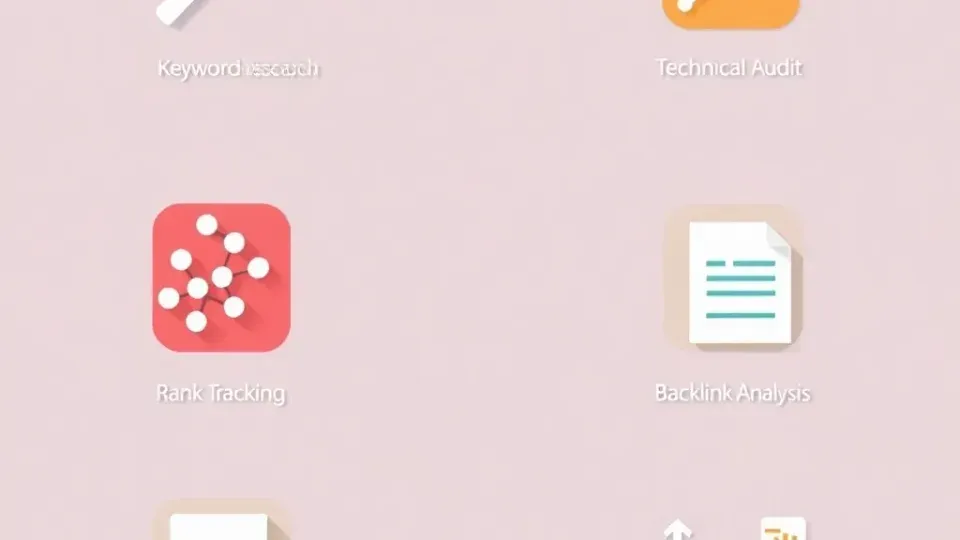
The best approach to evaluating SEO software is breaking tools down by their primary function. Most platforms overlap across categories, but each has a clear strength. Below, I've organized 20+ tools into five core categories with honest assessments of strengths, weaknesses, ideal users, and onboarding times.
Keyword Research & Competitor Analysis Tools
Keyword research is the foundation of any SEO strategy. These tools help you discover what your audience is searching for, how competitive those terms are, and which topics offer the best opportunity. For a complete methodology, check out our guide on keyword research strategies.
1. Semrush
Semrush is arguably the most comprehensive all-in-one SEO platform on the market. Its Keyword Magic Tool contains over 26 billion keywords across 142 countries, according to Semrush's official documentation. That makes it the largest keyword database among commercial SEO tools.
- Strengths: Massive keyword database, competitor gap analysis, PPC data integration, position tracking across Google and Bing, and a robust content marketing toolkit.
- Weaknesses: Steep learning curve for beginners — expect 2–3 weeks to feel comfortable navigating the interface. Pricing starts at $139.95/month, which can be prohibitive for solo users.
- Best for: Agencies and mid-to-large businesses needing an all-in-one platform.
- Onboarding time: 2–3 weeks to utilize core features effectively.
2. Ahrefs
Ahrefs is renowned for having one of the largest backlink indexes among SEO tools. The company reports crawling over 8 billion web pages daily with its AhrefsBot. Its Keywords Explorer is equally powerful, pulling data from 10 search engines including Google, YouTube, Amazon, and Bing.
- Strengths: Unmatched backlink database, intuitive UI despite deep functionality, Content Explorer for topic research, and excellent keyword difficulty scoring.
- Weaknesses: No traditional free trial. Instead, Ahrefs offers a $29 Starter plan with limited credits. The learning curve for Site Explorer and advanced filters is moderate.
- Best for: SEO professionals focused on link building and competitive analysis.
- Onboarding time: 1–2 weeks for core workflows.
3. Mangools (KWFinder)
KWFinder by Mangools offers one of the most beginner-friendly keyword research interfaces available. It surfaces keyword difficulty, search volume, SERP overview, and trend data in a single, clean dashboard.
- Strengths: Exceptionally easy to use with affordable pricing starting at $29.90/month. The suite includes SERPChecker and LinkMiner.
- Weaknesses: Smaller keyword database compared to Semrush or Ahrefs. Data can feel thin for non-English markets, and advanced users may find it limiting.
- Best for: Freelancers, bloggers, and small businesses entering SEO.
- Onboarding time: Under 1 hour.
4. Writora
Writora is an all-in-one SEO platform designed specifically for independent publishers. Its standout feature is keyword clustering, which automatically groups related keywords into topic clusters. This lets you plan content hubs rather than targeting keywords in isolation. Paired with AI article generation and one-click publishing, it streamlines the journey from keyword research to published content.
- Strengths: Keyword clustering saves significant manual research time. AI-generated drafts provide strong starting points. One-click publishing to WordPress eliminates workflow friction. A free trial is available with no credit card required.
- Weaknesses: Smaller backlink database compared to Ahrefs or Semrush. Less suited for enterprise-scale technical audits. It's a relatively newer platform still building out advanced features.
- Best for: Solo bloggers, niche site builders, and independent publishers who want to move from keyword to published post faster.
- Onboarding time: Under 30 minutes for the core workflow.
5. Google Keyword Planner
Google's own keyword tool remains a cornerstone of keyword research, especially for understanding commercial intent. Since it's built for Google Ads, the data reflects actual advertiser demand. It's free to use with a Google Ads account, though volume ranges replace exact numbers unless you're actively running paid campaigns.
- Best for: PPC-focused marketers and those supplementing organic research with ad data.
6. AnswerThePublic
This visual keyword research tool aggregates autocomplete data into question-based keyword maps. It's particularly useful for content ideation and understanding conversational search intent. This matters more than ever as AI search engines like ChatGPT and Perplexity reshape how people ask questions.
- Strengths: Unique visual format, excellent for FAQ and People Also Ask targeting, free tier available.
- Weaknesses: Limited to autocomplete data only. No volume, difficulty, or competitive metrics without pairing with another tool.
- Best for: Content ideation and understanding user questions in natural language.
Technical SEO Audit & Site Health Tools
A technical SEO audit identifies structural issues preventing search engines from effectively crawling, indexing, and ranking your pages. These tools automate what would otherwise require manually inspecting hundreds or thousands of URLs. For a comprehensive framework, see our technical SEO checklist.
7. Screaming Frog SEO Spider
Screaming Frog is a desktop-based website crawler used by virtually every technical SEO professional I've worked with. It crawls your site the way a search engine would. It surfaces issues like broken links, duplicate content, missing meta tags, redirect chains, and orphan pages.
- Strengths: Extremely granular data. Integrates with Google Analytics and Search Console. Handles JavaScript rendering. Excellent bulk export capabilities.
- Weaknesses: Desktop-only and resource-heavy on large sites. The free version is limited to 500 URLs, and the tool requires technical knowledge to interpret results properly.
- Best for: Technical SEO specialists and agencies auditing client sites.
- Onboarding time: 1–2 weeks to master advanced features, though basic crawls are straightforward.
8. Google Search Console (GSC)
Google Search Console is the most essential free SEO tool available. It provides official search performance data directly from Google. No third-party tool can replicate its accuracy for impressions, clicks, average position, and index coverage reports.
- Strengths: Completely free. Official Google data. Core Web Vitals reports. Mobile usability checks. Index coverage diagnostics. Manual action alerts.
- Weaknesses: Limited to Google search only. Only 16 months of historical data. No competitor data or keyword research functionality.
- Best for: Every website owner. This should be the foundation of any SEO stack, regardless of budget.
- Onboarding time: 15–30 minutes for setup, with ongoing learning for advanced features.
9. Sitebulb
Sitebulb is a desktop crawler similar to Screaming Frog but with a more visual, beginner-friendly approach. It provides prioritized audit hints that explain why an issue matters and how to fix it. This makes it particularly valuable for generating client-ready reports.
- Strengths: Actionable prioritized recommendations, visual crawl maps, excellent for client reporting, handles JavaScript well.
- Weaknesses: Paid only, starting at $13.50/month for the Lite plan. Desktop resource requirements can be demanding. The community is smaller than Screaming Frog's.
- Best for: Agencies that need client-ready audit reports without extensive manual interpretation.
10. Google PageSpeed Insights / Lighthouse
These free Google tools analyze page performance, accessibility, and Core Web Vitals — metrics that directly influence ranking. Lighthouse (built into Chrome DevTools) provides a more technical audit. PageSpeed Insights offers a simpler interface with field data from the Chrome User Experience Report.
- Strengths: Free and authoritative, coming directly from Google. Includes real-user field data and actionable performance recommendations.
- Weaknesses: Analyzes one URL at a time rather than site-wide. Lab data can differ from field data. No competitive benchmarking.
- Best for: Developers and content creators optimizing individual page performance.
Rank Tracking & SERP Monitoring Tools
Rank tracking means monitoring where your target keywords appear in search engine results pages (SERPs) over time. The SERP is the page of results returned by a search engine for a given query. Tracking positions helps you measure whether your SEO efforts are working and spot emerging opportunities or threats.
11. SE Ranking
SE Ranking offers one of the most cost-effective rank tracking solutions. Pricing is based on the number of keywords tracked and check frequency. It also includes a solid site audit tool, backlink checker, and on-page SEO grader, making it a strong budget all-in-one option.
- Strengths: Flexible pricing starting around $52/month for 500 keywords. Tracks Google, Bing, Yahoo, and YouTube. Competitor rank comparison and white-label reporting included.
- Weaknesses: Backlink database is smaller than Ahrefs or Semrush. Content tools are less developed. The UI can feel cluttered with so many features packed in.
- Best for: Small-to-mid agencies needing affordable rank tracking at scale.
12. AccuRanker
AccuRanker is a dedicated rank tracker built for speed and accuracy. It can update rankings on-demand — not just on a schedule — and handles high-volume tracking efficiently. In my testing, it returned ranking updates faster than any other tool I've compared.
- Strengths: Fastest on-demand rank updates available. Supports Google, Bing, Baidu, Yandex, and YouTube. SERP feature tracking covers featured snippets, People Also Ask, and more. Strong API for custom integrations.
- Weaknesses: Rank tracking only — no keyword research, audits, or backlink analysis. Pricing starts at $116/month for 1,000 keywords, which adds up quickly.
- Best for: Enterprises and agencies with large keyword portfolios who need real-time data.
13. SERPstat
SERPstat positions itself as a growth hacking tool with rank tracking, keyword research, site audit, and backlink analysis bundled together. Its SERP analysis feature shows which SERP features appear for any keyword, from local packs to featured snippets to video carousels.
- Strengths: Affordable all-in-one alternative starting around $59/month. Batch keyword analysis is useful for quick research. API access is available on all plans, along with team collaboration features.
- Weaknesses: Data accuracy for non-US markets can be inconsistent. The overall database is smaller than top-tier competitors, and occasional UI bugs surface.
- Best for: Budget-conscious teams wanting an all-in-one alternative to Semrush.
14. Wincher
Wincher is a no-frills rank tracker that focuses on simplicity and affordability. Starting at around $12/month for 100 keywords, it's one of the cheapest options for basic daily rank monitoring.
- Strengths: Very affordable with a clean interface. Google Search Console integration and automated reports keep things simple.
- Weaknesses: Limited to Google only. No keyword research or backlink features. Minimal SERP feature data compared to AccuRanker.
- Best for: Solopreneurs and bloggers who just need to track keyword positions without extra complexity.
Backlink Analysis & Link Building Tools
Backlinks remain one of the strongest ranking signals. These tools help you analyze your own link profile, spy on competitor backlinks, identify link-building opportunities, and monitor for toxic links. For outreach tactics that pair with these tools, see our backlink building strategy guide.
15. Ahrefs (Backlink Focus)
As noted earlier, Ahrefs maintains what it describes as the largest backlink index among commercial SEO tools. Its reported crawl rate exceeds 8 billion pages per day. Site Explorer provides the most detailed link analysis I've used, including referring domains, anchor text distribution, link velocity, and broken link opportunities.
- Strengths: Largest live backlink index. Historical backlink data going back years. Broken Backlinks report simplifies link reclamation. Link Intersect tool reveals competitor gap opportunities.
- Weaknesses: No free tier for backlink analysis. The Starter plan at $29/month has limited credits, and the full-featured Standard plan costs significantly more.
- Best for: Link-building professionals and competitive analysis specialists.
16. Majestic
Majestic is a backlink-specialized tool known for its proprietary metrics: Trust Flow (link quality) and Citation Flow (link quantity). Its Historic Index spans over 15 years of crawl data, making it one of the largest backlink archives available.
- Strengths: Trust Flow and Citation Flow metrics are widely recognized in the SEO industry. Topical Trust Flow helps analyze niche relevance. The Lite plan is affordable at $49.99/month.
- Weaknesses: No keyword research, rank tracking, or site audit features. The interface feels dated compared to competitors. Interpreting flow metrics has a moderate learning curve.
- Best for: Link building specialists who need deep backlink intelligence without paying for all-in-one features they won't use.
17. Moz Link Explorer
Moz's Link Explorer offers backlink analysis with the company's proprietary Domain Authority (DA) and Page Authority (PA) metrics. These are among the most recognized third-party authority scores in SEO, though they should be used as directional indicators rather than definitive ranking factors.
- Strengths: Domain Authority is widely understood and benchmarked across the industry. Clean interface. Spam Score helps identify risky links. Integrates with the broader Moz Pro suite.
- Weaknesses: Smaller link index than Ahrefs or Majestic. Free tier limited to 10 queries/month. DA can be manipulated and shouldn't be treated as a Google metric.
- Best for: Teams already using Moz Pro who want integrated backlink data.
18. BuzzSumo
While primarily a content research tool, BuzzSumo excels at identifying which content earns the most backlinks and social shares in any niche. This makes it invaluable for planning link-worthy content before you write it.
- Strengths: Surfaces most-shared and most-linked content by topic. Influencer identification for outreach. Content alert monitoring and question analyzer provide ongoing competitive intelligence.
- Weaknesses: Not a traditional backlink analysis tool. It doesn't replace Ahrefs or Majestic for link profile auditing. Starting at $199/month, it's a significant investment.
- Best for: Content marketers planning link-earning content strategies.
Content Optimization & On-Page SEO Tools
Content optimization goes beyond basic keyword insertion. These tools analyze top-ranking pages for a given keyword and provide data-driven recommendations for word count, keyword usage, heading structure, NLP terms, and readability. The result is content that's genuinely competitive in the SERPs rather than just keyword-optimized on paper.
For step-by-step workflows, check out our guide on content optimization for search.
19. Surfer SEO
Surfer SEO has become the go-to content optimization tool for many SEO professionals, myself included. Its Content Editor analyzes the top-ranking pages for your target keyword. It then generates a real-time scoring system based on over 500 on-page signals.
- Strengths: Real-time Content Score as you write. NLP keyword suggestions. SERP Analyzer for competitor content breakdown. Audit tool for existing pages. Integrates with Google Docs and WordPress.
- Weaknesses: Doesn't generate content — it's optimization only. Recommendations can feel formulaic if followed too rigidly. Pricing starts at $89/month.
- Best for: Content teams that want to systematically improve content-to-rank conversion rates.
- Onboarding time: Under 1 hour for Content Editor. Allow 1–2 weeks for advanced SERP analysis features.
20. Clearscope
Clearscope is a premium content optimization platform favored by enterprise content teams. It provides a readability-focused grade (A++ to F) alongside semantic keyword recommendations derived from top-performing content. The interface is designed so non-technical writers can use it independently.
- Strengths: Extremely intuitive interface. High-quality NLP recommendations. Google Docs integration. Excellent for editorial teams with writers who aren't SEO specialists.
- Weaknesses: Expensive at $170/month for the Essentials plan. Limited features beyond content optimization. No technical SEO or backlink tools included.
- Best for: Enterprise content teams and agencies with dedicated writers.
21. Frase
Frase combines content optimization with AI content generation and search intent analysis. It automatically creates content briefs by analyzing the top SERP results for any keyword. In my testing, its AI-generated briefs saved roughly 45 minutes per article compared to manual competitor analysis.
- Strengths: AI-generated content briefs save significant research time. Built-in AI writer for first drafts. People Also Ask mining surfaces additional content angles. Affordable at $15/month for the Solo plan.
- Weaknesses: AI-generated content requires heavy editing for accuracy and brand voice. Optimization scoring is less granular than Surfer. The NLP dataset is smaller.
- Best for: Solo content creators and small teams needing brief generation and draft assistance.
22. Yoast SEO (WordPress Plugin)
Yoast remains the most-installed SEO plugin for WordPress, with over 12 million active installations. It provides real-time on-page optimization feedback as you edit posts, including readability analysis, focus keyword checks, schema markup, and XML sitemap generation.
- Strengths: Free version covers essential on-page checks. Seamless WordPress integration. Schema markup automation. Widely documented with extensive community support.
- Weaknesses: Plugin-based, so it's WordPress only. Doesn't analyze competitor content. Limited keyword research. The Premium version ($99/year) is needed for redirect management and internal linking suggestions.
- Best for: WordPress site owners who want foundational on-page SEO without leaving their CMS.
23. Writora (Content Optimization Focus)
Writora deserves a second mention here because its AI article generation is specifically designed for SEO content workflows. Unlike general-purpose AI writers, Writora ties content generation directly to keyword clusters. This means the articles you produce are topically comprehensive by design, not just keyword-stuffed.
The one-click publishing to WordPress eliminates the manual export step that tools like Surfer and Clearscope still require.
- Strengths: Keyword clustering informs content structure automatically. AI drafts are built around SEO data rather than generic prompts. Direct WordPress publishing saves time. The efficiency gains are substantial for independent publishers.
- Weaknesses: AI-generated content still benefits from human editing and fact-checking. Less suitable for highly technical or regulated industries without thorough review.
- Best for: Independent publishers and niche site builders who need to produce optimized content at scale.
SEO SEO Tools Pricing & Comparison Matrix
One of the biggest gaps I've noticed in other SEO tool comparison guides is the lack of a clear pricing matrix. Below is a comprehensive comparison of SEO software pricing and key features to help you evaluate total cost of ownership. This is especially important if you're combining multiple tools.
| Tool | Starting Price | Free Tier? | Primary Strength | Best For | AI Features | |---|---|---|---|---|---| | Semrush | $139.95/mo | Limited free account | All-in-one SEO suite | Agencies, mid-large businesses | Yes | | Ahrefs | $29/mo (Starter) | Free Webmaster Tools (limited) | Backlink analysis & keyword research | SEO professionals, link builders | Yes | | Mangools | $29.90/mo | Limited free lookups | Beginner keyword research | Freelancers, bloggers | No | | Writora | Free trial | Yes (free trial, no CC) | Keyword clustering + AI content | Independent publishers | Yes | | SE Ranking | ~$52/mo | 14-day free trial | Affordable rank tracking | Small-mid agencies | Yes | | Moz Pro | $99/mo | Limited free tools | Domain Authority, beginner-friendly | SMBs new to SEO | Limited | | Screaming Frog | Free (500 URLs) / £259/yr | Yes (500 URL limit) | Technical crawling | Technical SEOs | No | | Sitebulb | $13.50/mo | 14-day trial | Visual site audits | Agencies (client reports) | No | | Surfer SEO | $89/mo | No | Content optimization | Content teams | Yes | | Clearscope | $170/mo | No | Enterprise content optimization | Enterprise content teams | Yes | | Frase | $15/mo | 5-day trial | AI content briefs | Solo creators | Yes | | AccuRanker | $116/mo | 14-day trial | Enterprise rank tracking | Large keyword portfolios | Limited | | Majestic | $49.99/mo | Limited free checks | Historic backlink data | Link building specialists | No | | BuzzSumo | $199/mo | Limited free searches | Content & link research | Content marketers | No | | Yoast SEO | Free / $99/yr Premium | Yes | WordPress on-page SEO | WordPress site owners | Limited | | Google Search Console | Free | Yes | Official Google search data | Everyone | No | | Google Keyword Planner | Free (needs Ads account) | Yes | PPC keyword data | PPC + SEO hybrid research | No | | AnswerThePublic | Free tier / $11/mo | Yes (limited) | Question-based keyword ideas | Content ideation | No | | SERPstat | ~$59/mo | Free tier (limited) | Budget all-in-one | Budget-conscious teams | Yes | | Wincher | ~$12/mo | 14-day trial | Simple rank tracking | Solopreneurs | No |
Total Cost of Ownership: Building a Stack
Many professionals combine tools rather than relying on a single platform. Here are three example stacks with monthly costs based on real configurations I've recommended to clients.
Budget Stack (Solo Creator): ~$30–50/month
- Google Search Console (free) + Writora (free trial, then paid) + Mangools ($29.90) + Yoast Free. This combination covers keyword research, content creation, on-page optimization, and performance monitoring without breaking the bank.
Mid-Range Stack (Small Agency): ~$200–300/month
- Semrush ($139.95) + Surfer SEO ($89) + Screaming Frog (free or £259/yr) + Google Search Console (free). This stack gives you all-in-one competitive intelligence, content optimization, deep technical auditing, and official Google data.
Enterprise Stack (Large Team): ~$500–800+/month
- Ahrefs ($199 Standard) + Clearscope ($170) + AccuRanker ($116) + Semrush ($139.95) + Sitebulb ($35.50). This is a comprehensive configuration for teams managing thousands of keywords across multiple domains.
The key insight here: your stack's total cost matters more than any individual tool's price. When I've audited agency tool spending, I frequently find teams paying for overlapping features across 3–4 platforms. Consolidating around one strong all-in-one platform plus 1–2 specialists often cuts costs by 30–40% without sacrificing capability.
How to Choose the Right SEO Tools for Your Needs
With this many options, how do you actually decide? In my experience working with businesses across different stages and sizes, the best SEO tool comparison framework considers five factors. These are budget, team size, primary SEO focus, technical skill level, and integration requirements.
Match Tools to Your Business Profile
Solo Creators and Bloggers need affordable tools that cover the basics without overwhelming complexity. Start with Google Search Console (mandatory and free). Pair it with a beginner-friendly keyword research tool like Mangools or Writora's keyword clustering feature. Use Yoast for on-page WordPress optimization. Total monthly spend: $0–50.
Freelance SEO Consultants need deeper data and the ability to generate client reports. SE Ranking or Semrush at the lowest tier gives you keyword research, rank tracking, and site audits in one platform. Add Screaming Frog for technical audits. Total monthly spend: $50–150.
Small-to-Mid Agencies need scalability, white-label reporting, and multi-client management. Choose Semrush or Ahrefs as your primary platform. Add Surfer SEO for content optimization. Consider a dedicated rank tracker if you need more keyword capacity. Total monthly spend: $200–400.
Enterprise In-House Teams need comprehensive data, API access, custom integrations, and team collaboration features. Many enterprises use both Ahrefs and Semrush simultaneously. Add Clearscope for content, AccuRanker for rank tracking, and a custom data warehouse for centralized reporting. Total monthly spend: $500–1,000+.
Tool Integration Considerations
A growing factor in SEO tool selection is how well platforms integrate with your existing workflow. Here are the key integration points to evaluate:
- Google Analytics 4 integration — Semrush, Ahrefs, SE Ranking, and Moz all offer direct GA4 connections for correlating SEO data with user behavior metrics.
- Google Search Console — Nearly every major SEO tool pulls GSC data. Verify whether your chosen tool imports at the keyword level or page level, since this affects reporting granularity.
- WordPress — Yoast, Rank Math, Writora (one-click publish), and Surfer all integrate directly with WordPress. If your CMS is WordPress, this can save significant manual effort.
- AI search engine monitoring — As search evolves with ChatGPT Search, Google AI Overviews, and Perplexity, some tools are adding AI visibility tracking. Semrush has begun integrating AI-generated result monitoring into its platform. Check current feature documentation for the latest coverage.
- API access — For teams building custom dashboards or automations, verify API limits carefully. Ahrefs and Semrush offer robust APIs. AccuRanker's API is particularly strong for rank data at scale.
SEO Tool Selection Checklist
Use this checklist when evaluating any SEO tool. Print it, screenshot it, or bookmark it — this is the decision framework that other comparison guides miss.
- [ ] Budget alignment — Does the tool's pricing fit within your monthly SEO software budget? Have you calculated total stack cost, not just individual subscriptions?
- [ ] Core feature match — Does the tool excel at the specific function you need most: keyword research, audits, tracking, links, or content?
- [ ] Data quality — How large and fresh is the tool's keyword database, backlink index, or SERP data? Compare index sizes directly.
- [ ] Learning curve — Can your team realistically learn this tool within 1–2 weeks? Does it offer onboarding resources, tutorials, or documentation?
- [ ] Scalability — Can you upgrade as your site, keyword portfolio, or team grows without switching platforms entirely?
- [ ] Integration compatibility — Does it connect with Google Analytics, Search Console, your CMS, and other tools in your stack?
- [ ] AI capabilities — Does the tool offer AI-assisted features like content generation, predictive insights, or AI SERP tracking relevant to your workflow?
- [ ] Reporting — Can you generate automated